
- How do IDEA StatiCa BIM links work
- How to install BIM links to your software
- Importing connections from CAD program
- Importing nodes from structural analysis (FEA) software
- Free Viewer plugins for CAD programs
- Tips and tricks and possible limitations

WebinarSteelConnection designConnectionBIM link
Tackling IDEA StatiCa Connection - BIM links
Dit webinar is ook beschikbaar in


Gestreamd op
25 augustus 2021 / 00:00
(in uw lokale tijd, 24-uurs formaat)
The last part of the webinar series for beginners will aim at BIM links. Get familiar with all the great benefits of importing connections from your CAD and structural engineering software, learn how to install the IDEA StatiCa BIM links into your programs, and the best practices in using them.
Tijdens het webinar leert u

Most probably you have heard about BIM links (Building information modeling) that serve for data sharing among various programs used in civil engineering. This ongoing (r)evolution in structural design and construction provides extreme improvements in our daily workflows. Of course, IDEA StatiCa development is on top of this technology.
Not sure how to make it work for your program? What can you select in your CAD program and how to get the analysis and code-checks done in IDEA StatiCa Connection afterward? Interested in sharing the BIM data without installing IDEA StatiCa? Don't worry, we will show you all of that.
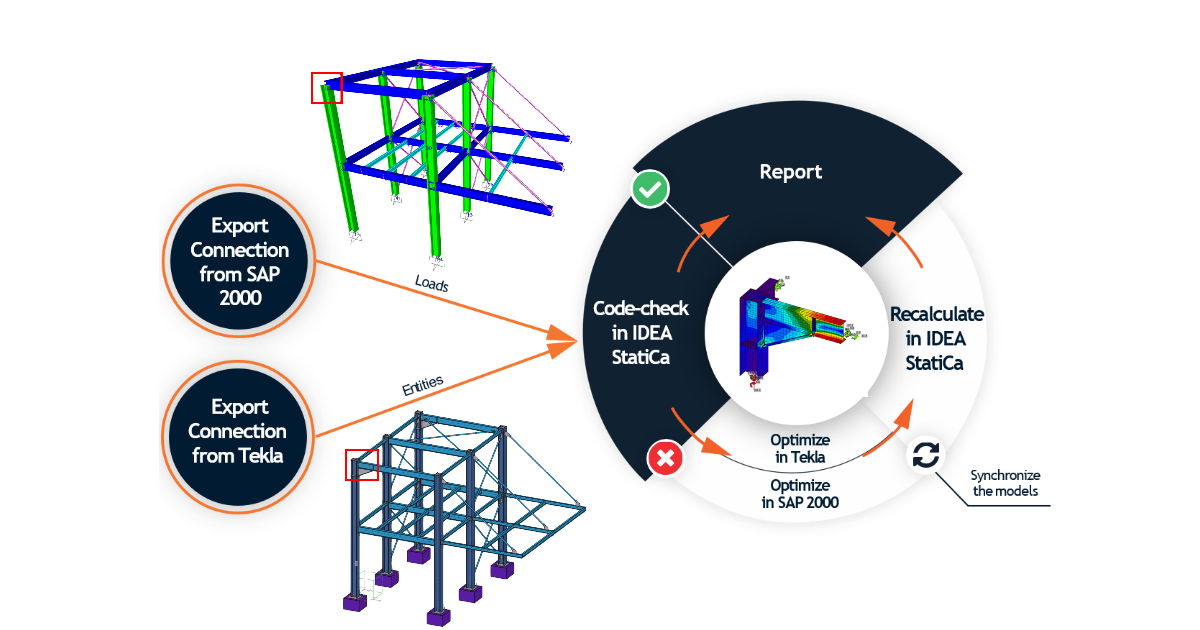
As you would expect, we saved our best for the grand finale. Installation, usage, tips & tricks, all explained in 30 minutes. Sign in for the free webinar and boost up your work with IDEA StatiCa BIM links.
Tackling IDEA StatiCa Connection webinar series
Tackling IDEA StatiCa Connection is a new series of five short webinars for beginners to get quickly familiar with the program. From first steps up to BIM links, learn quickly how to use the software and be productive and safe in designing and code-checking steel connections.
There will be five webinars with relevant content:
- August 11, 2021 - Complex connections - designing operations and templates, effective modeling