
Note: Connection Browser was renamed to Connection Library with version 23.0 (April, 2023).
Latest tips for Connection Browser
Connection Browser feature is definitely the rising star among IDEA StatiCa developed tools to ease and boost the connection design. Surely, we didn't say the last word. So, in short, what are the hits for summer 2022?
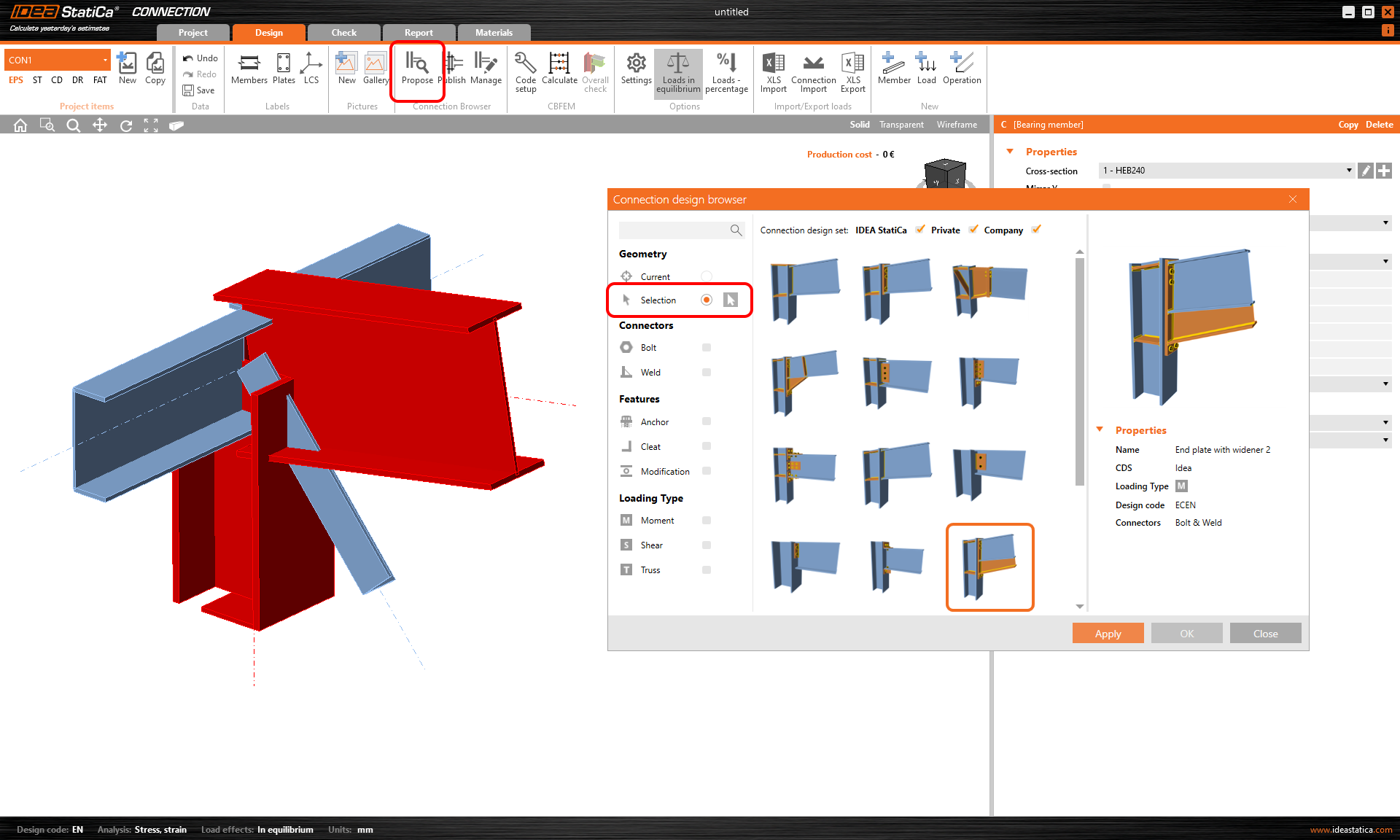
Selection
Complex connection with many members but didn't find any suitable design proposal? Switch to the Selection and pick just some of the members to add the set of operations, then do the rest. To select multiple members, drag the mouse over or hold CTRL, highlight each member in red, then press SPACEBAR or the confirm icon.
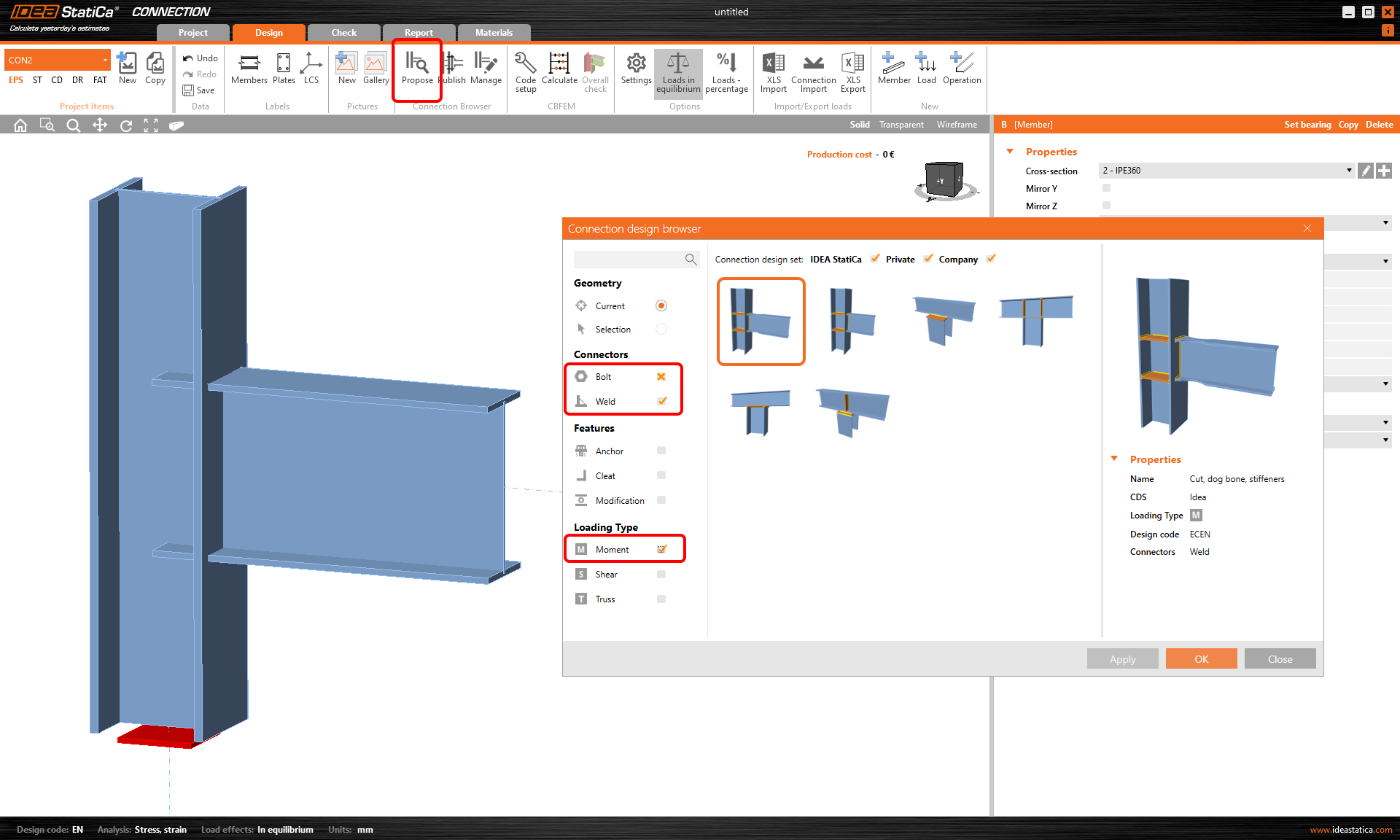
Filters
In case of the opposite situation - too many proposals for a given geometry, there are filters to kill the unwanted and help you out. You can choose what you want to use and also what you want to exclude. With one click you turn on the selected filter, while two clicks set the cross mark, which excludes that attribute from the proposals. E.g. you want only welded connection with no bolts at all - set yes for Weld and no for Bolt and there you go.
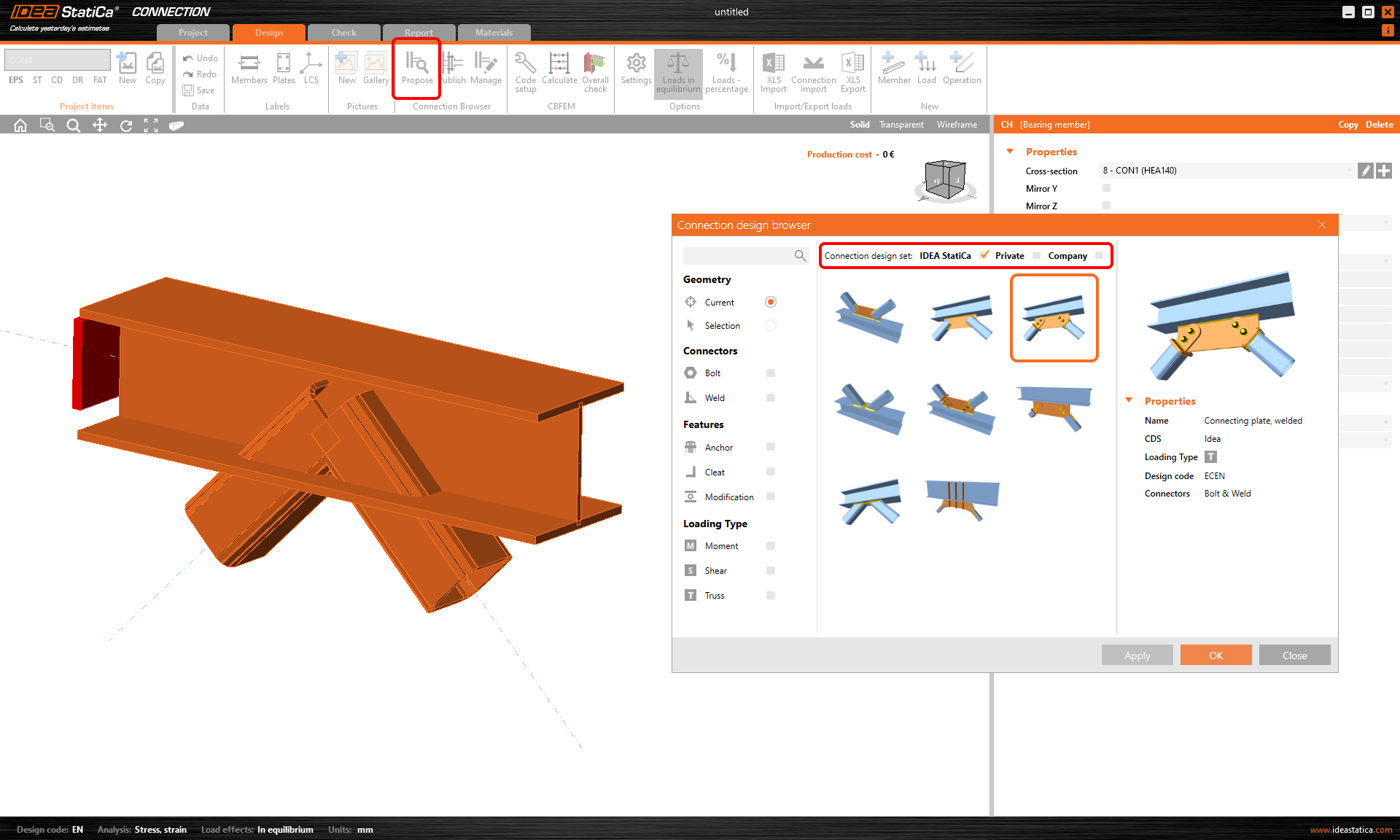
Design sets
This is pretty simple. The IDEA StatiCa set contains design proposals that anybody can use and that in time should form a global public library of what our society can design and share. The Private set is your own secret database for any wild experiments, while the Company set is visible and accessible to your colleagues in your office.
If you prefer movies over reading, just grab a snack and a comfy chair and push the play button below to catch up with the full story in the webinar Connection Wednesdays - New way of project collaboration:
Cool, but what can I do with it?
Don't worry if you didn't take a hint of how this thing complies with your daily business, especially with the Company set. Here you go with the three best scenarios; don't hesitate to take them all in.
1) The ultimate combo of Checkbot + Connection Browser
Remember the "good old times"? Radio plays Johnny Cash, you take all connections from the designed steel structure, come up with some design and check each of them using the neverending formulas or redefine the excel sheets to fit them... Well, today, we offer you this deal – shoot them all down like a bottle-shooting cowboy.
Take your global structural model (see the long list of them) and open the IDEA StatiCa Checkbot. Import ALL the connections with one click. Open any connection and design it using the Connection Browser Propose function with three clicks. Calculate and print the bulk report.
One picture for thousand words, one video for thousand pictures - push the play button below:
2) Senior engineer saves his/her time (and money)
Are you the kind of structural superhero who knows everything and doesn't waste time on repetitive tasks? That's good, cause you also cost a lot. But explaining and sharing your thoughts (and designs) with your less experienced colleagues can be a struggle too. Imagine no more papers, no more emails and calls, no more drawings, and... uh.
Calm down. With the Company set, you just create a design and send it to the cloud. Your colleagues can use it in a second. Also, they can apply it to slightly different geometries and cross-sections, or they can just take it as the design guide and reproduce similar designs for other connections. And if they save the work on a shared disc, all data sit in one place with the project file, so you can always look at what your colleagues have produced.
So your task here is to create the design in IDEA StatiCa Connection and publish it. See in the video how this may go when a junior engineer colleague calls you for help with the tailored design (btw., this works vice versa too):
3) The well-organized and well-prepared company
So, this year you have this huge project on your table - a marvelous steel structure designed by your office. You do it the best way. Regarding the connections, you optimize and categorize all of them so you keep it all safe but also save on material and money and keep it simpler for the assembly. Just perfect, the investor loves your job. Want a perfect example? Get inspired by Ádám Kis and his engineering squad with the fantastic HUNGEXPO arrival hall.
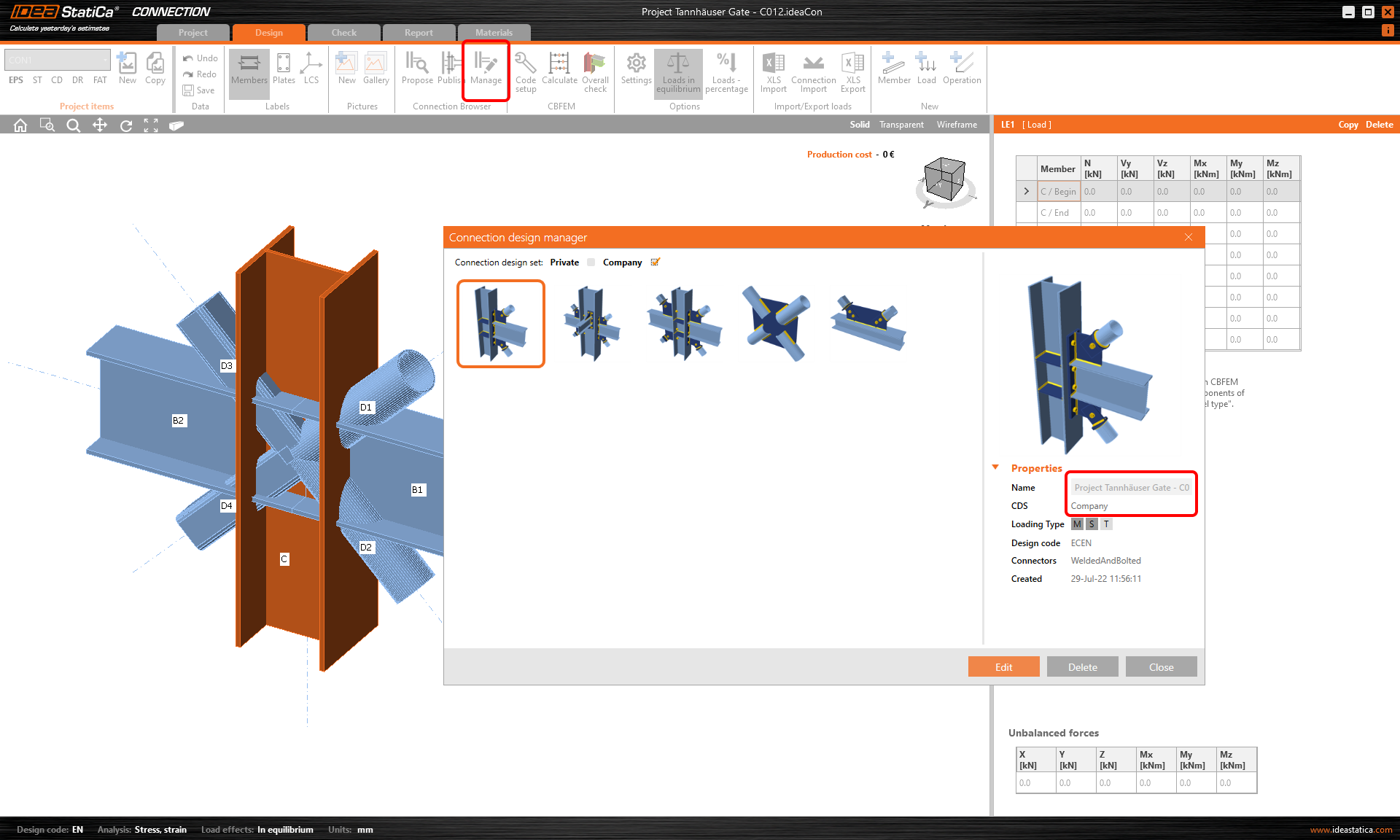
To organize and manage steel connections, you use the Company set of connection templates where you store the designs for the current project. During the year, the design may change, but you react immediately by replacing the design templates in your Connection Browser Manager so that everybody in the team is on the same page at any time. No more shared disc mess, all clear, online, instant.
Happy but looking for some more?
I am almost sure you have fallen in love with the Connection Browser, so we've got more yummy readings for you. Just serve yourself with some best picks:
- Connection Browser – new library of connections (v21.1)
- Company sets & selection in the Connection Browser
All right, this would do for the theory, but hey, it's the exercise that makes the masters! Hit the IDEA Statica icon on your desktop and try it all by following the tutorial Structural design leveraging the Connection Browser (EN).
Is that all? Of course not! You can bet we are already baking some new technical stuff related to the Connection Browser in our development ovens.
Calculate yesterday's estimates with us today!
Haven't tried the Connection Browser yet? Better do it immediately.

- Steel
- Member design
- Connection design
- Features
What if it doesn’t go in the right direction?
Read more
- Connection design
- Steel
- Features
Connection design evolution part 1 – Connection Browser (Library)
Read more
- Steel
- Connection design
- Member design
- Features