
IDEA StatiCa uses the account-based cloud licensing system, which means that all you need to start working in the app is to input your username and password in the welcome dialog.
How does the online license work?
- IDEA StatiCa regularly checks the license server to update the license status and verify the product configuration.
- IDEA StatiCa users do not have to be online all the time. By default, the license will work for 1 hour without an internet connection. After that, connecting to the online licensing server is necessary.
- Admins, as well as end-users, can view/edit the license status in the online IDEA StatiCa User portal.
Sign In issues - valid for version 20, 20.1, 21.0 up to 21.1.5.1536
Most of the licensing issues are related to sign-in. Don't worry. Every problem has a solution.
Let's check what to do if you get one of the following warnings.
Error #1 - Authentication Failed
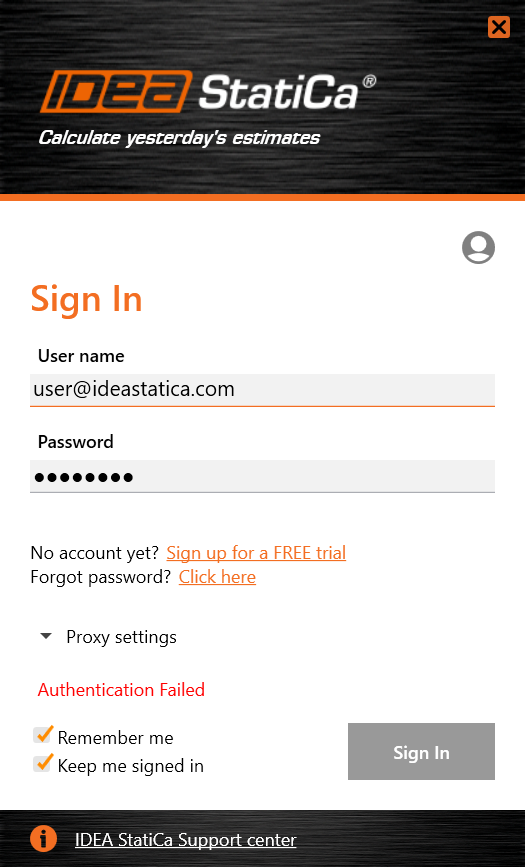
This error message means the inputted credentials are wrong.
In most cases, the password is wrong for some reason. First, check if typed in correctly.
If you have forgotten your password, go to https://auth.ideastatica.com/Account/ForgotPassword, input your User name and you will get the password recovery mail to your email address.
In case you are not sure about your User name, please contact your license administrator, or in case of a free license, contact our support team.
Error #2 - Number of Allowed Activations Exceeded
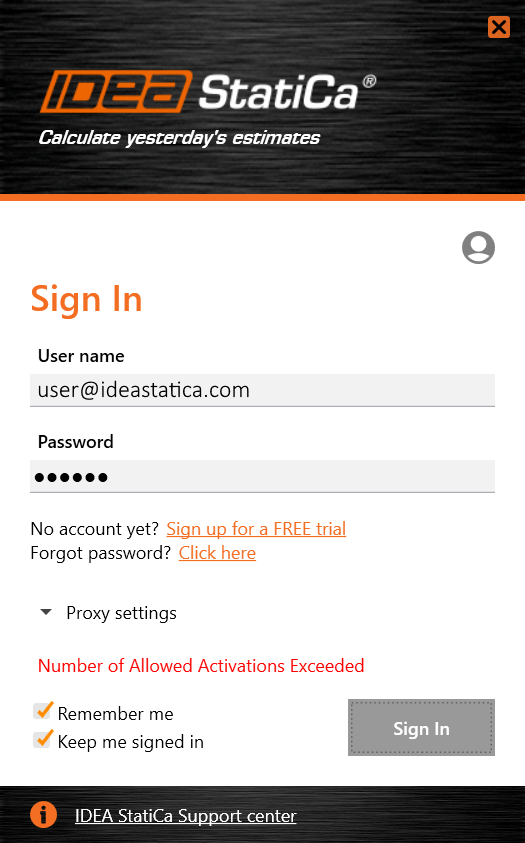
Every IDEA StatiCa license is limited in the volume of possible active usage. Obtaining this error message means, all of your available activations (seats) are used up.
You can also log in to your license from multiple devices, but each instance of IDEA StatiCa will consume seats from your license according to the products you selected.
With our licensing system, you can easily check the current usage of your license to identify who is using your license and ask him/her to sign out and release the license.
Error #3 - SOAP couldn't connect to HOST
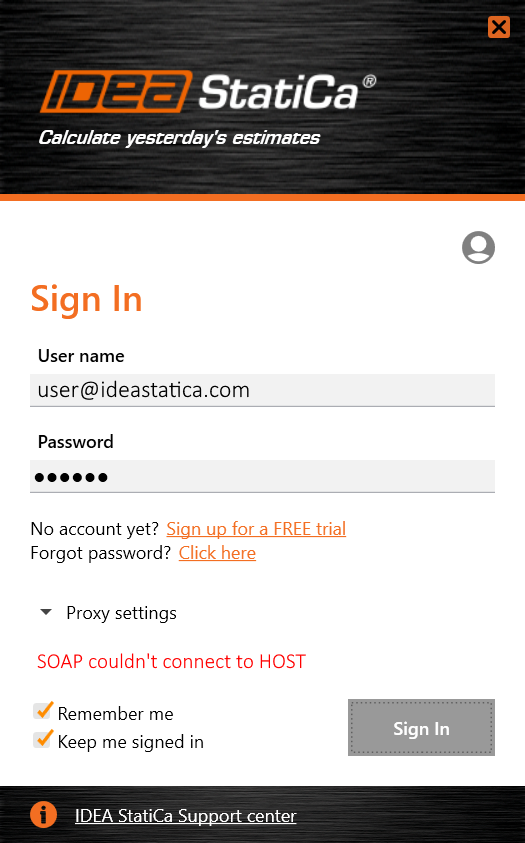
Displaying this message means, your internet connection does not allow IDEA StatiCa to connect to the license server.
There are two options to solve this issue:
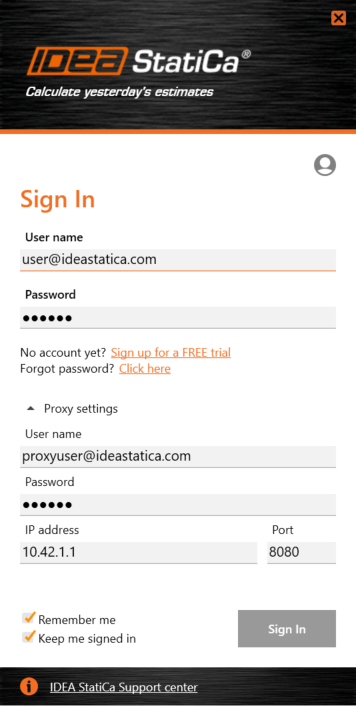
Change proxy settings
Set up the proxy settings in the license dialog. Please keep in mind that the proxy user name and password are not the same as IDEA StatiCa credentials. Please confirm with your company IT administrator.
Whitelist the licensing domain
In some cases, your company may block automated connections with various servers. Ask your IT administrator to put https://my.nalpeiron.com (ports 443, 80) on the whitelist of allowed servers.
Error #4 - Cached credentials need auth
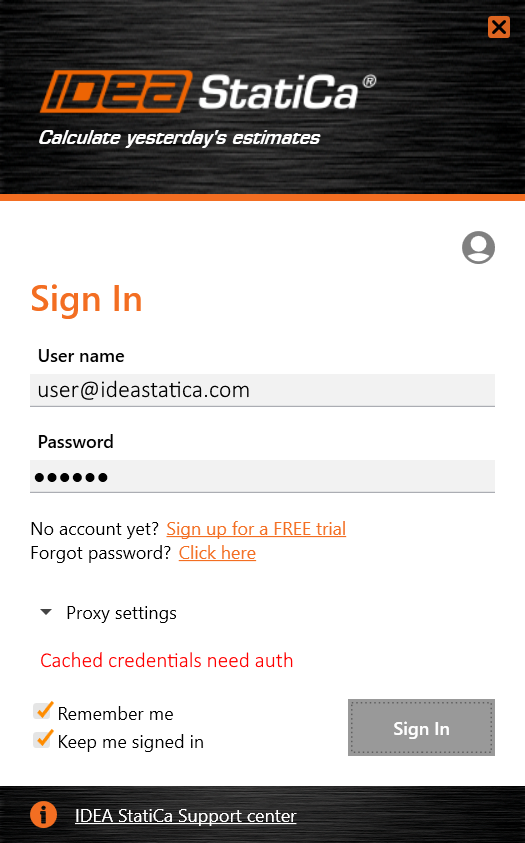
If you got this error message, your credentials for the license activation in your system cache are most probably damaged.
You can solve this issue quickly by deleting the Shafer folder located in C:\Users\%USERNAME%\AppData\Roaming\IDEA_RS
When you delete the folder, you can try to sign in again.
Manage your own license
With the User Portal, you have full control of your license usage. You can easily find the number of current activations and identify who is currently using the license.
Moreover, as an admin, you can add, edit and delete more users.
What if I use an older version of IDEA StatiCa?
As was announced already in May 2020, the old licensing systems (Eleckey, HASP) of versions up to 10.1 remain unchanged and functional. Lifetime entitlements (now called "Perpetual") will work indefinitely, but the technical support of these older license types will be terminated on 30. 6. 2021. After this date, license resets, reactivations, and other licensing support will not be provided anymore.
Kindly make sure that your organization migrates to version 20 or newer as soon as possible.
Meanwhile, if you have an issue with this type of license, you can find helpful tips for solving them on our Support Center.
What to do else?
None of the above-mentioned jobs helped? Do you still struggle to get beyond a licensing error? Try our Licensing FAQ.
If you still need help, the best approach is to create a new support case in the Support Center, and our support engineers will take care of it.