Idea Statica
Steel
Steel overview
Connection design
Member design
Parametric design
Steel case studies
Concrete
Concrete overview
Walls and D-regions
Anchoring design
Concrete case studies
BIM & Workflows
BIM Overview
Supported integrations
Checkbot
Viewer
APIs
Support & Learning
Support Center
E-learning & certification
Blog
Downloads & Licensing
Pricing
Plans
Free community tool
Enterprise customers
Students & educators
How much will you save?
Company
About us
Contact
Research & development
Authorized resellers
Meet our customers
14-Day Trial
Support CenterKnowledge BaseImperial rounding improvements in Detail
Codes supported in IDEA StatiCa Concrete
Code and calculation settings in Detail application
Combinations and strength reduction factor in ACI
Improvements for ACI 318-19 in Detail
Imperial rounding improvements in Detail
Connection designConcreteReinforced concreteKnowledge baseDetail 2D

Imperial rounding improvements in Detail

This article is also available in
ENCSDEESFRITPTNLHURO

A brand new feature that allows you to define preferred application units (imperial or metric) for new entities like geometry, cross-sections, loads, etc. All of the values of new entities will be now nicely rounded according to the selected application units.

We distinguish two types (groups) of units: 

  • Units for presentation purposes
  • Units for the applying of new entities into the model

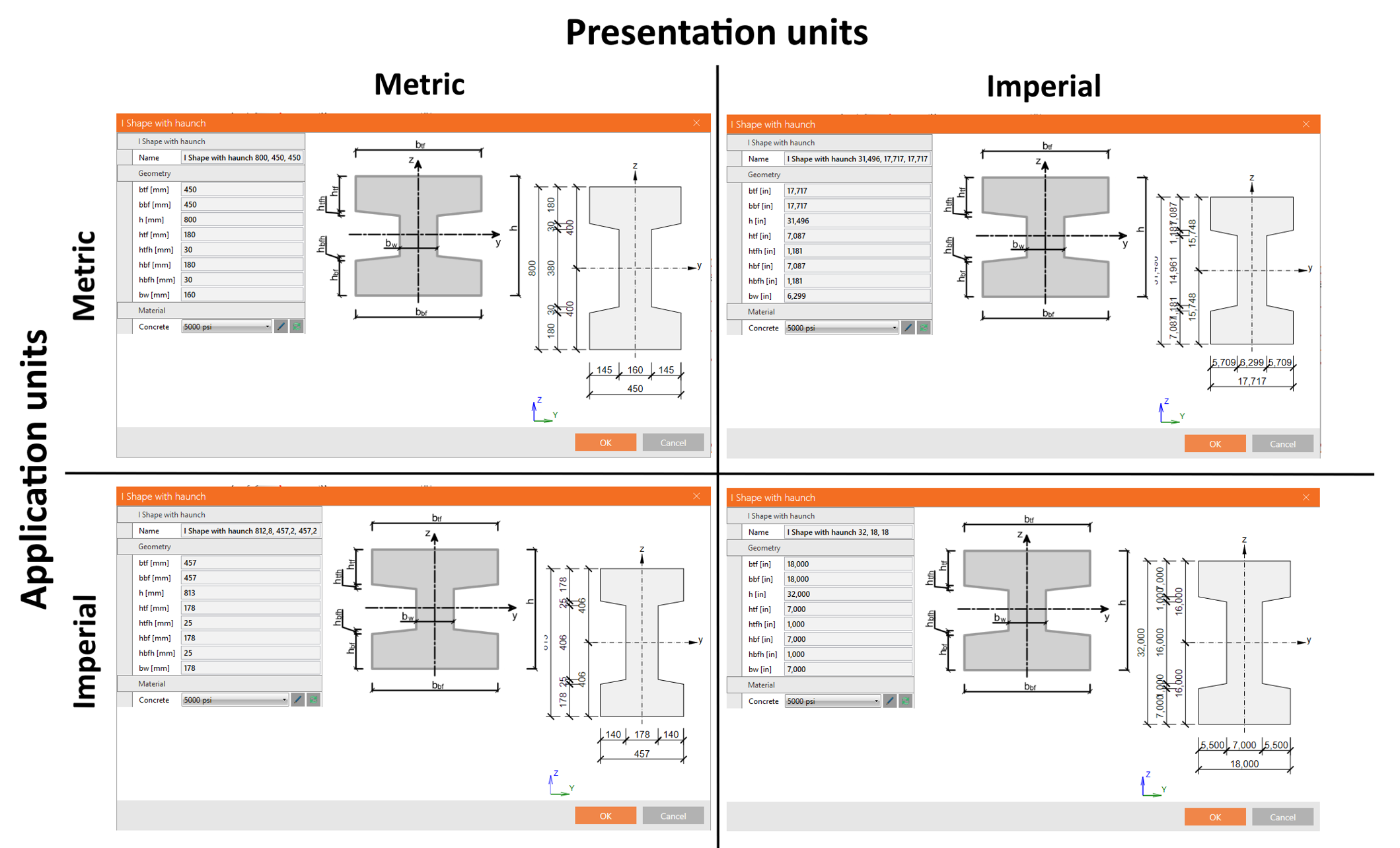
These groups are independent and can be arbitrarily combined (for example, metric units for presentation but imperial units for application of the new entities).

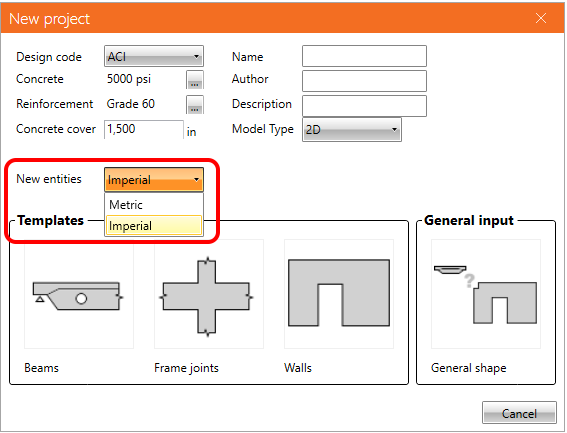
For this purpose, the new feature that defined the type of preferred dimension for new entities was implemented. When defining a new project, the user can set if the dimension of all entities (geometry, load, reinforcement) input into the model will be rounded for metric or imperial units.
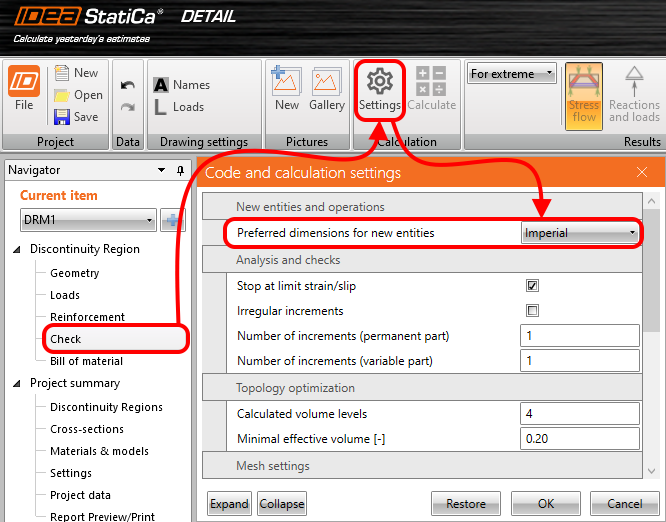
When you decide to change the setting of application units in an existing project, it can be done in Settings.
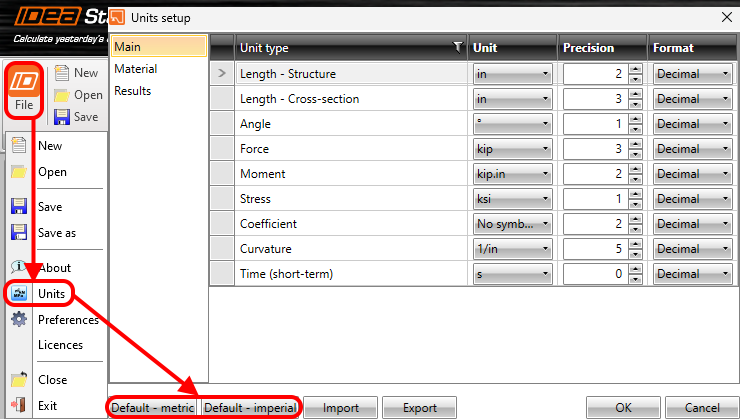
Let's also recall where you can set the presentation units. Go to File -> Units and make changes.
For example, an I-shaped cross-section is presented with a different combination of application and presentation units.
Available in Enhanced editions of IDEA StatiCa Concrete and Prestressing.

Download new version

Subscribe to our newsletter

Company

  • About us
  • Partnerships
  • Job openings
  • Patented technology for structural engineers

Resources

  • Customer projects
  • Case studies
  • IDEA StatiCa Connection Library
  • Concrete verifications

Legal

  • IDEA StatiCa END USER LICENSE AGREEMENT
  • Privacy policy
  • Terms of Services – IDEA StatiCa Viewer
  • Licensing

Help

  • Contact
  • Get price quote
  • IDEA StatiCa Specialists
  • Download the latest version
FacebookInstagramLinkedInYouTube

© IDEA StatiCa 2009-2026

Trusted and used worldwide by engineers, fabricators & consultants.