


Using the mesher CM2 MeshTools SDK, which means applying the latest meshing algorithms, provides a smooth mesh structure.
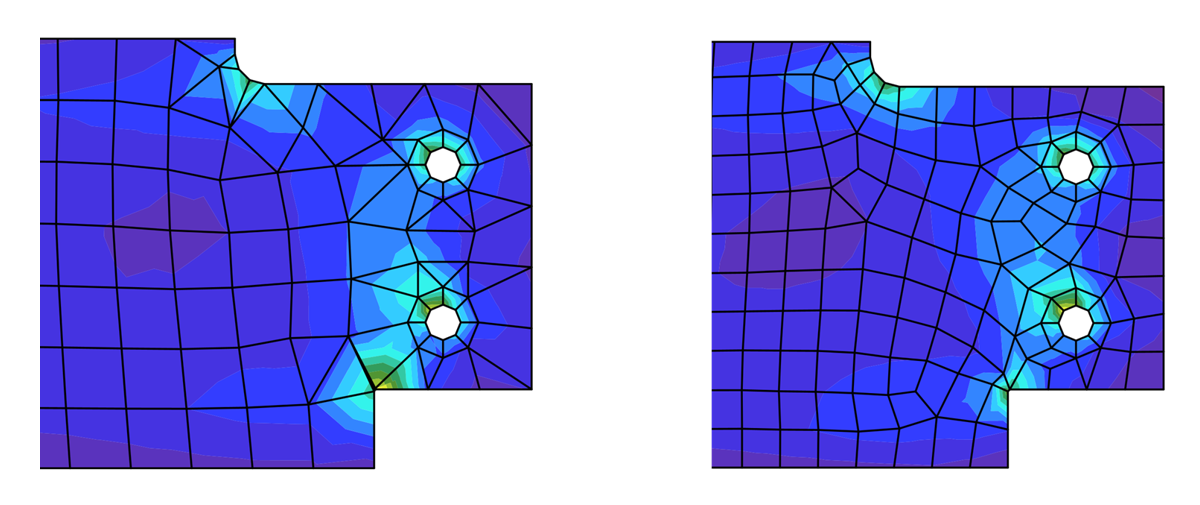
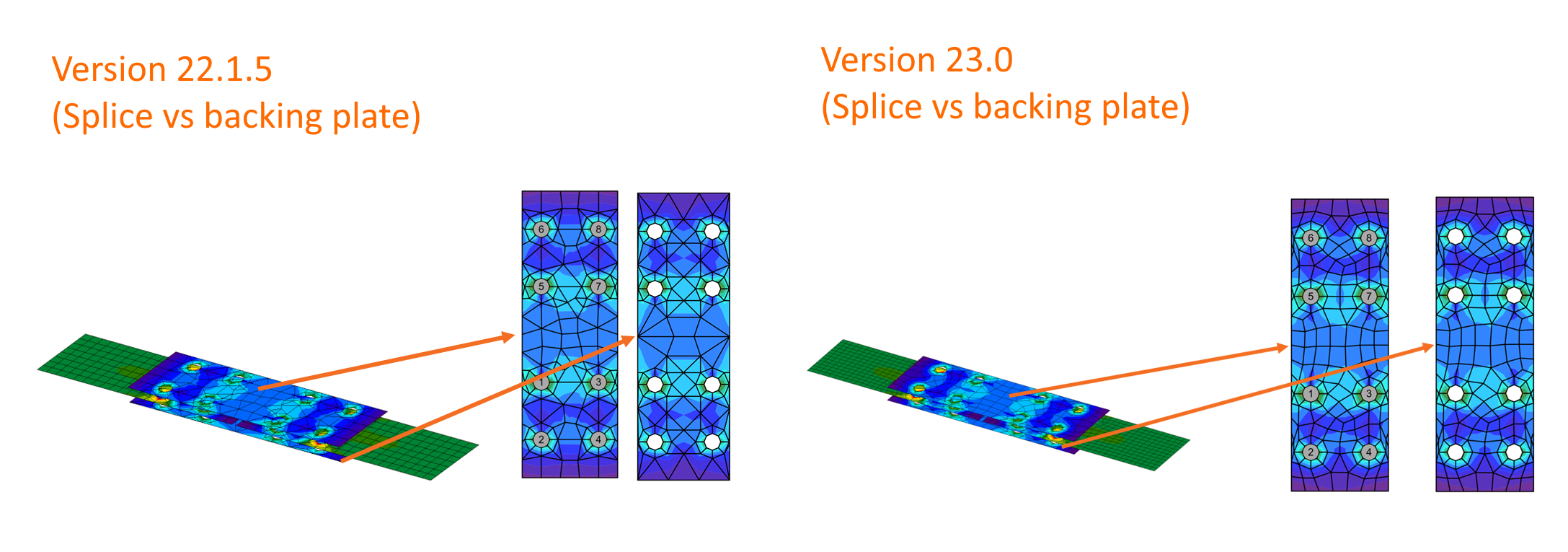
We have also programmed the newest mesh generation rules to ensure better distribution in all plates. Connections composed of splice and backing plates, intermediate stiffening members, or stiffening plates used as custom end plates are tuned for even higher precision of analysis and match better with other parts of the connection.
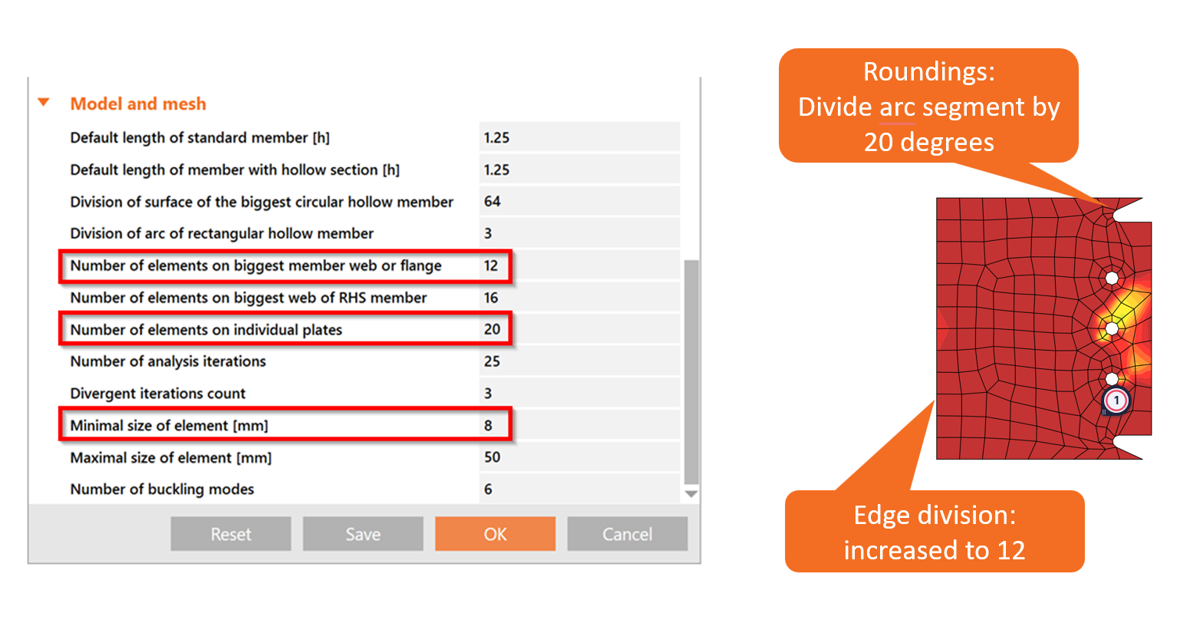
Plus, the default values for the mesh settings, such as the minimal size of elements and the number of elements on plates, are refined in the Code setup.
Released in IDEA StatiCa version 23.0.
Accurate meshing around bolt and pin holes
The mesh in IDEA StatiCa Connection is generated automatically. The user can only adjust the mesh size, this avoids certain cases where the mesh might not be generated appropriately, leading users to attempt to set up a very fine mesh. To prevent this adjustment impacting the mesh for the entire model, causing other issues with the calculation or the default meshing around particularly large holes in relatively small plates, such as those used for pins, being inaccurately configured, the meshing algorithm ensures that the resulting mesh is accurate:
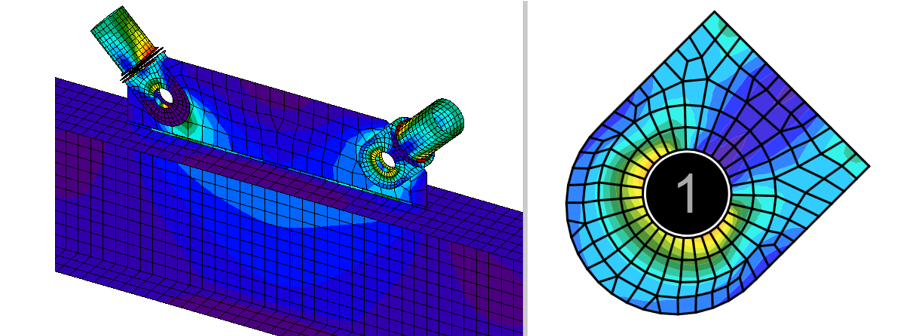
See the sizing rules for the meshing algorithm:
Number of elements in ring:
- n = (2x π x external radius)/element size
- external radius = 2x mesh ring
- n ≥ 8
Number of rings:
- number of rings = bolt hole radius/element size
- number of rings = ≥ 1
Slotted holes:
- It contains the same number of elements as a circular hole, but its shape is elongated into an elliptical form.
This provides a more precise mesh that accurately represents the material behavior, particularly in cases where larger openings are located within smaller plates.
Released in IDEA StatiCa version 24.1.
Changes in the mesh of CHS members
The calculation model for circular hollow sections (CHS) is refined to improve numerical accuracy and result consistency. The setting for the minimal finite element size is available in Project settings, allowing users to enforce square meshing, even for small tube diameters (D < 160 mm).
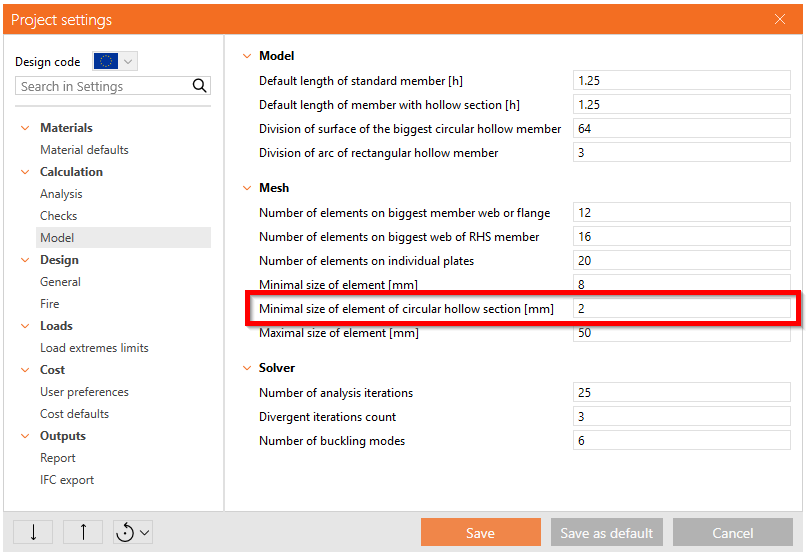
This adjustment removes any limitations where smaller diameters generated rectangular elements, which could lead to slightly unconservative results.
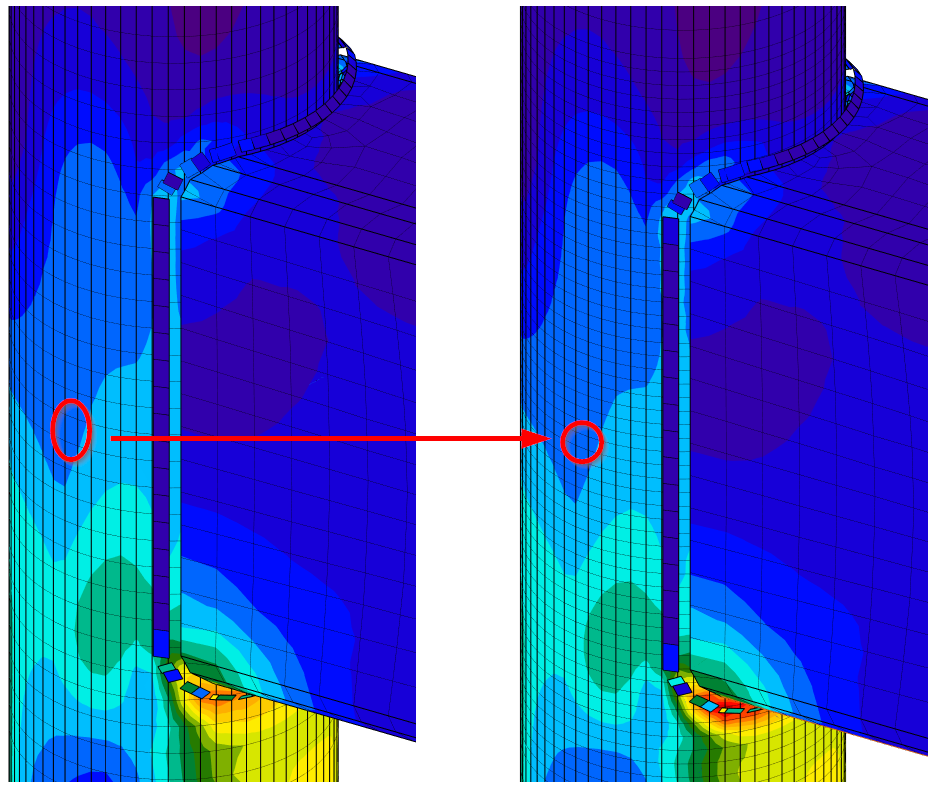
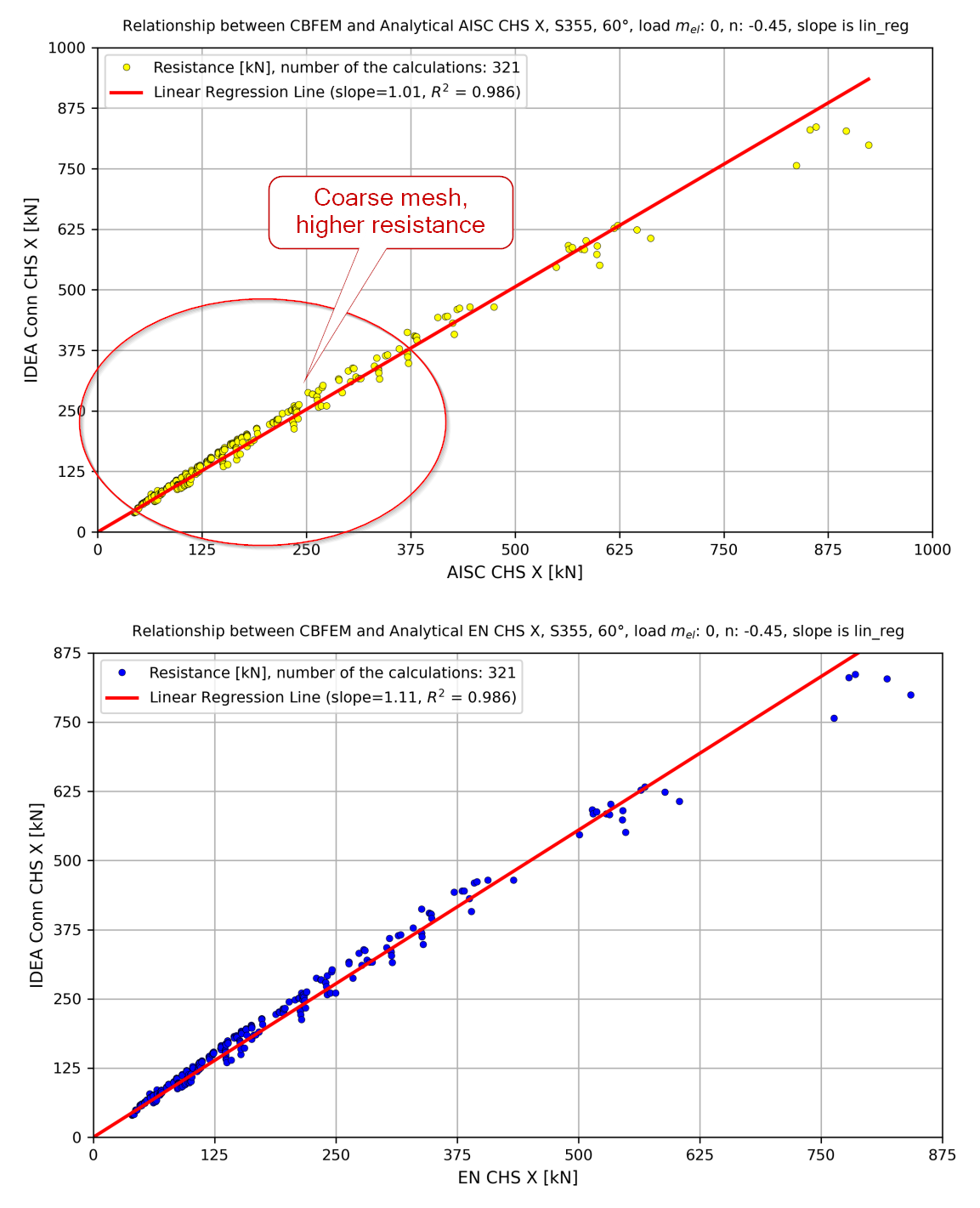
By standardizing the mesh pattern across all CHS geometries, this approach delivers more stable and realistic stress and deformation outputs. Smaller tubes now exhibit behavior consistent with reference curves, ensuring that the predicted resistances remain within safe, code-compliant limits.
Released in IDEA StatiCa version 25.1.