Idea Statica
  • Steel
  • Concrete
  • BIM & workflows
  • Support & Learning
  • Pricing
  • Company
  • Steel overview
  • Connection design
  • Member design
  • Parametric design
  • Steel case studies
  • Concrete overview
  • Walls and D-regions
  • Anchoring design
  • Members & cross-sections
  • Concrete case studies
  • BIM overview
  • Supported integrations
  • Checkbot
  • Viewer
  • APIs
  • Support Center
  • E-learning & certification
  • Blog
  • Downloads & Licensing
  • Plans
  • Free community tool
  • Enterprise customers
  • Students & educators
  • How much will you save?
  • About us
  • Contact
  • Research & development
  • Authorized resellers
  • Meet our customers
  • Career
  • Steel
    Steel overviewConnection designMember designParametric designSteel case studies
  • Concrete
    Concrete overviewWalls and D-regionsAnchoring designMembers & cross-sectionsConcrete case studies
  • BIM & workflows
    BIM overviewSupported integrationsCheckbotViewerAPIs
  • Support & Learning
    Support CenterE-learning & certificationBlogDownloads & Licensing
  • Pricing
    PlansFree community toolEnterprise customersStudents & educatorsHow much will you save?
  • Company
    About usContactResearch & developmentAuthorized resellersMeet our customersCareer
14-Day Trial
14-Day Trial
  • Steel
  • Concrete
  • BIM & workflows
  • Support & Learning
  • Pricing
  • Company

Subscribe to our newsletter

Company

  • About us
  • Partners
  • Careers
  • Patent

Resources

  • Customer projects
  • Case studies
  • Connection Library
  • Verification books

Legal

  • EULA
  • Global privacy policy
  • California Privacy
  • TOS Viewer
  • Licensing

Help

  • Contact
  • Quote request
  • Resellers
  • Downloads
FacebookInstagramLinkedInYouTube

© IDEA StatiCa 2009-2026

Trusted and used worldwide by engineers, fabricators & consultants.

Support CenterKnowledge Base ArticlesJoint import from older versions of SCIA Engineer
IDEA StatiCa BIM interoperability for steel
IDEA StatiCa BIM interoperability for concrete
BIM links: Supported versions of 3rd party applications
How to run old versions of BIM links
RISA-3D
Known limitations for SCIA Engineer
Joint import from older versions of SCIA Engineer
Selected load cases from SCIA Engineer to IDEA StatiCa via XML
Import from SCIA Engineer to IDEA StatiCa - Creating of XML file
Joint import from SCIA Engineer
SteelKnowledge baseSCIA EngineerConnection

Joint import from older versions of SCIA Engineer

This article is also available in
ENCZDEESFRITPTNLHUROKRPLTHTRVIZH

A short overview about how to import a joint from older (up to 21.0) versions of SCIA Engineer

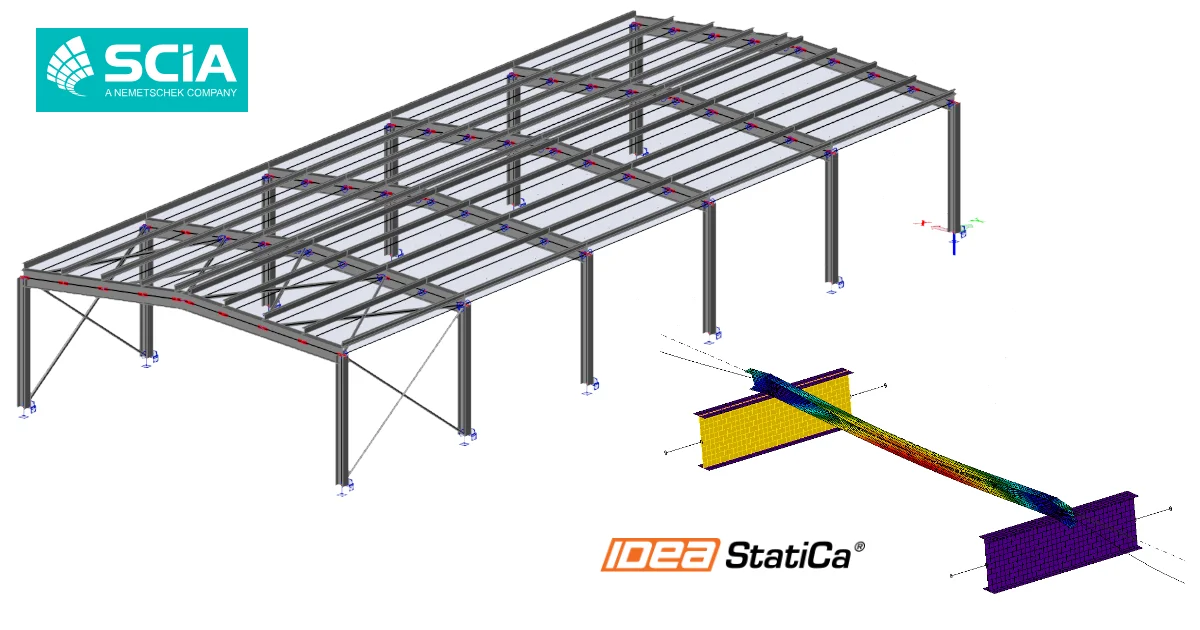
As the BIM link is installed, a new menu IDEA StatiCa Connection containing two commands is added to the tab Steel. The Joint input command serves as to add a joint to the list of exported joints within the current SCIA Engineer project (displayed as the named mark in the 3D model), while the Check command opens the joint in IDEA StatiCa Connection in order to be designed and analyzed. If any changes in the SCIA Engineer model are applied afterward (e.g. adding load combinations), the Check command updates the changes in the IDEA StatiCa Connection model as well.

Related articles

Step-by-step tutorial for the structural design of steel connection using the BIM link between SCIA Engineer and IDEA StatiCa Connection. Structural design of welded and bolted steel joints.
  • Steel
  • Connection
  • Checkbot
  • EN (Eurocode)
  • SCIA Engineer
  • +5
  • Steel
  • Connection
  • Checkbot
  • EN (Eurocode)
  • SCIA Engineer

Tutorials

SCIA Engineer BIM link for steel connection design (EN)

Read more
SCIA Engineer BIM link for steel Member design (EN)
  • Steel
  • Checkbot
  • Member
  • EN (Eurocode)
  • SCIA Engineer
  • +5
  • Steel
  • Checkbot
  • Member
  • EN (Eurocode)
  • SCIA Engineer

Tutorials

SCIA Engineer BIM link for steel member design (EN)

Read more
BIM workflow of IDEA StatiCa with SCIA Engineer
  • Steel
  • +1
  • Steel

Blog post

BIM workflow with SCIA Engineer

Read more