Idea Statica
Steel
Steel overview
Connection design
Member design
Parametric design
Steel case studies
Concrete
Concrete overview
Walls and D-regions
Anchoring design
Concrete case studies
BIM & Workflows
BIM Overview
Supported integrations
Checkbot
Viewer
APIs
Support & Learning
Support Center
E-learning & certification
Blog
Downloads & Licensing
Pricing
Plans
Free community tool
Enterprise customers
Students & educators
How much will you save?
Company
About us
Contact
Research & development
Authorized resellers
Meet our customers
14-Day Trial
Support CenterTutorialsGrasshopper - Plugin Installation
Grasshopper - Plugin Installation
SteelConnection designTutorialsIDEA Open Model (API)Connection

Grasshopper - Plugin Installation

This article is also available in
ENCSDEESFRITPTNLHURO

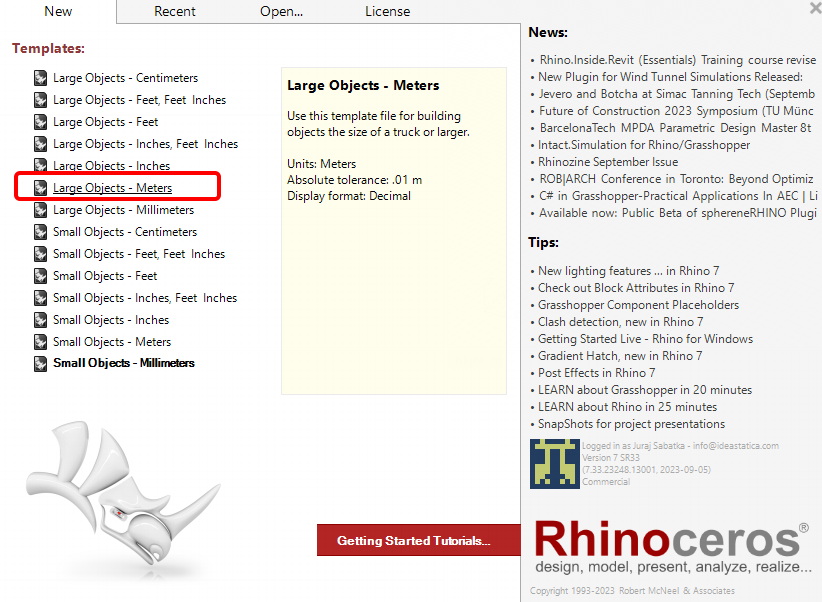
You can get a trial version of Rhino3d and Grasshopper from the Rhino3d website. Run Rhinoceros and select the template with Meters:
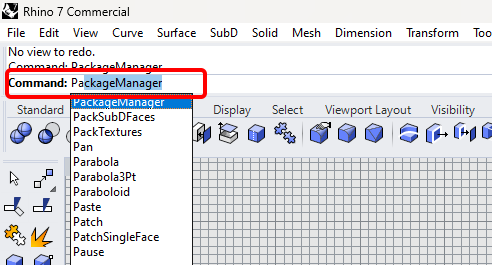
In the Command line, please enter "Package Manager":
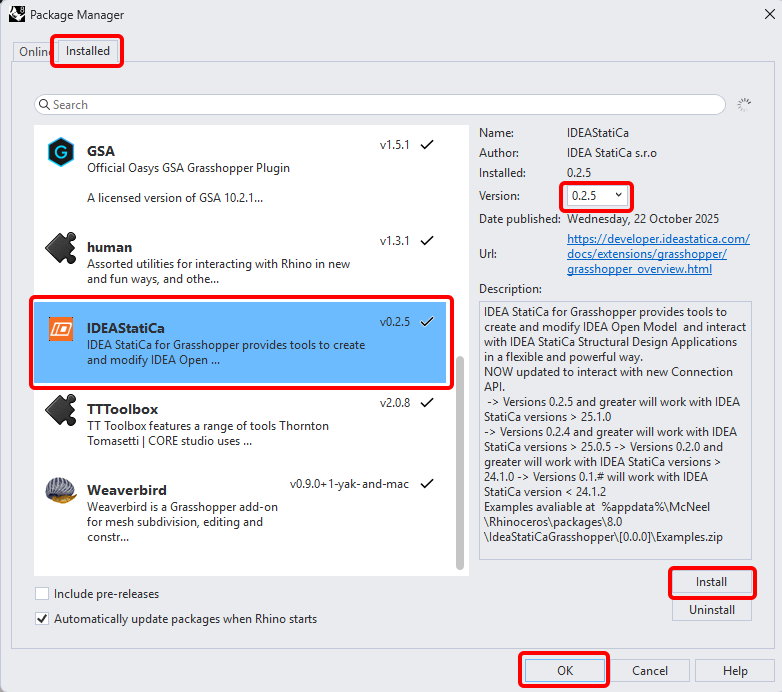
A new window appears; select IDEAStatiCa and click Install. The plugin will be downloaded and installed. To become active, a restart of Rhinoceros is necessary.
 To start Grasshopper with the IDEA StatiCa plugin, select Tools / Grasshopper in the Rhihoceros tab.
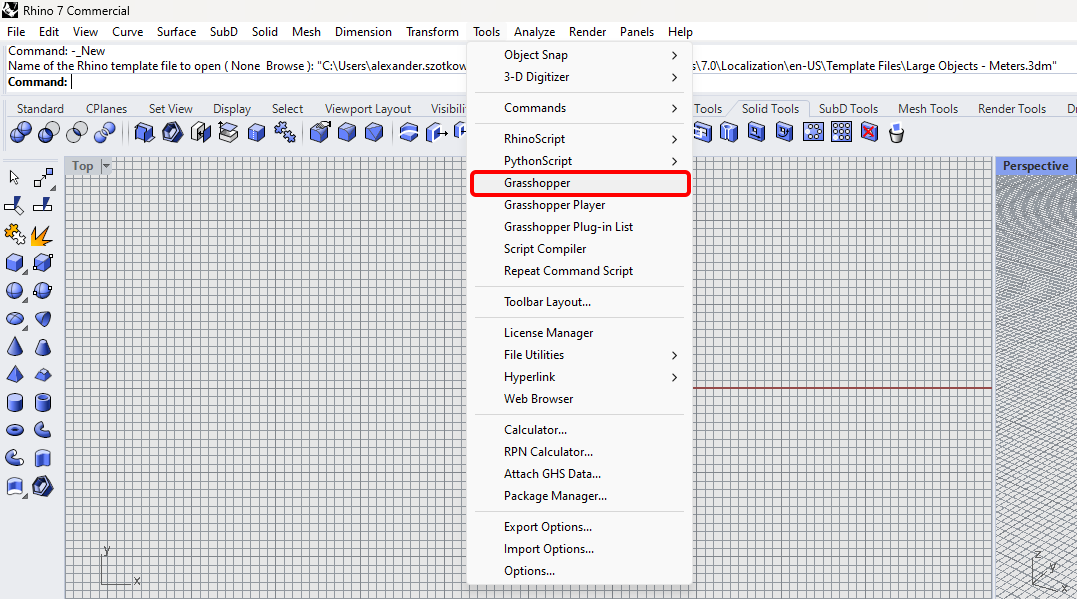
As you can see, the plugin is already incorporated.

Learn about the components and commands in the IDEA StatiCa plugin for Grasshopper in the article Description of Grasshopper plugin components.

Subscribe to our newsletter

Company

  • About us
  • Partnerships
  • Job openings
  • Patented technology for structural engineers

Resources

  • Customer projects
  • Case studies
  • IDEA StatiCa Connection Library
  • Concrete verifications

Legal

  • IDEA StatiCa END USER LICENSE AGREEMENT
  • Privacy policy
  • Terms of Services – IDEA StatiCa Viewer
  • Licensing

Help

  • Contact
  • Get price quote
  • IDEA StatiCa Specialists
  • Download the latest version
FacebookInstagramLinkedInYouTube

© IDEA StatiCa 2009-2026

Trusted and used worldwide by engineers, fabricators & consultants.