


The Material and Product Range Library (MPRL) has the ability to save custom cross-sections, just like users can do with materials and bolt assemblies. From MPRL, the cross-section is available for using in users' other projects.
The saved custom sections are available in IDEA StatiCa Connection and IDEA StatiCa Checkbot – both applications can open the saved MPRL library.
Currently, the user can save the rolled, composed, welded, thin-walled, timber, and general cross-sections. To save the paired rolled, I-cuts (T), a workaround is necessary (see below).
Definition of a custom/parametric cross-section
The layout of the library of cross-sections merges rolled cross-sections and standard and parametric/custom sections together.
As an example, the definition of a Rolled Angle is presented.
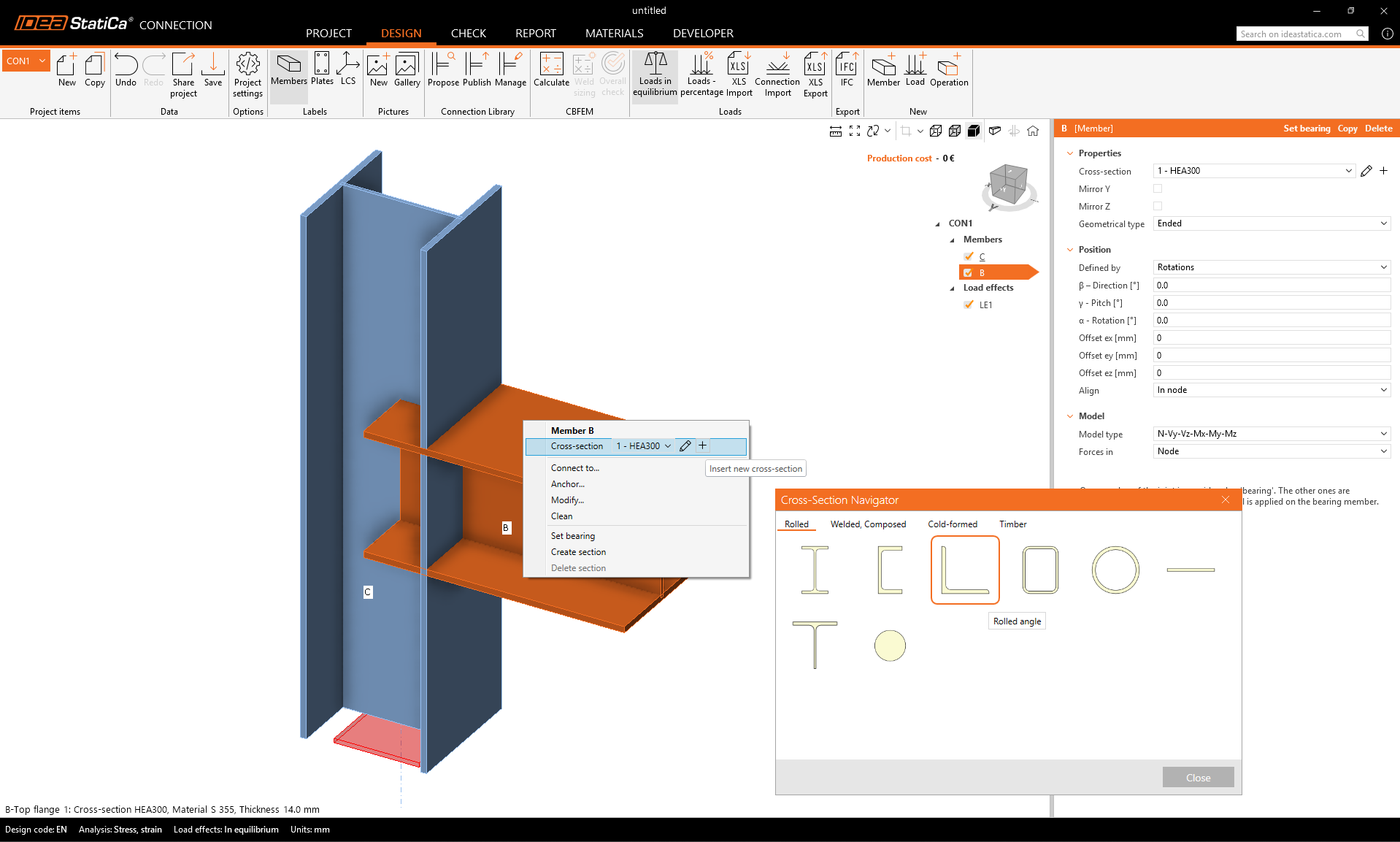
First, the standard section is selected. Using the arrow button, the section can be changed to another one from the library of angles.
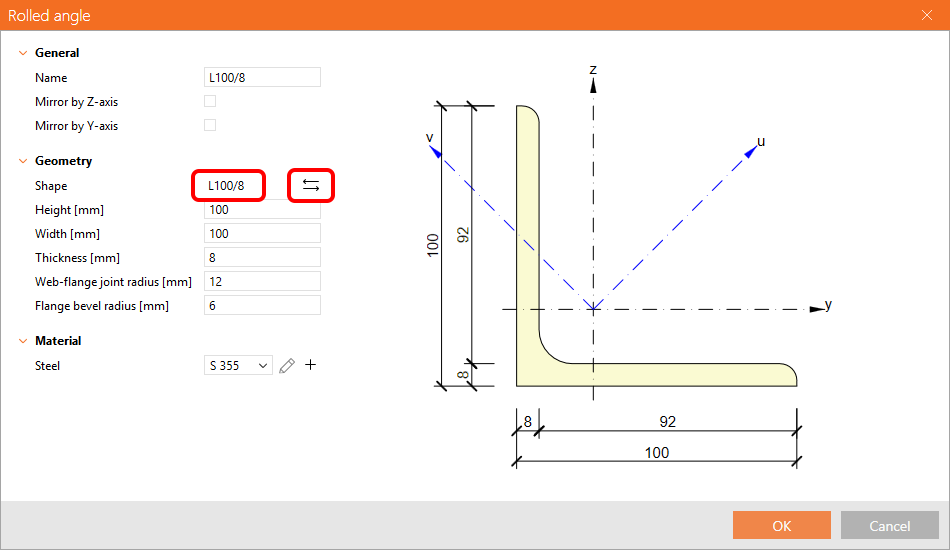
When some parameters are changed (the thickness of the standard section, etc.), the section becomes custom.
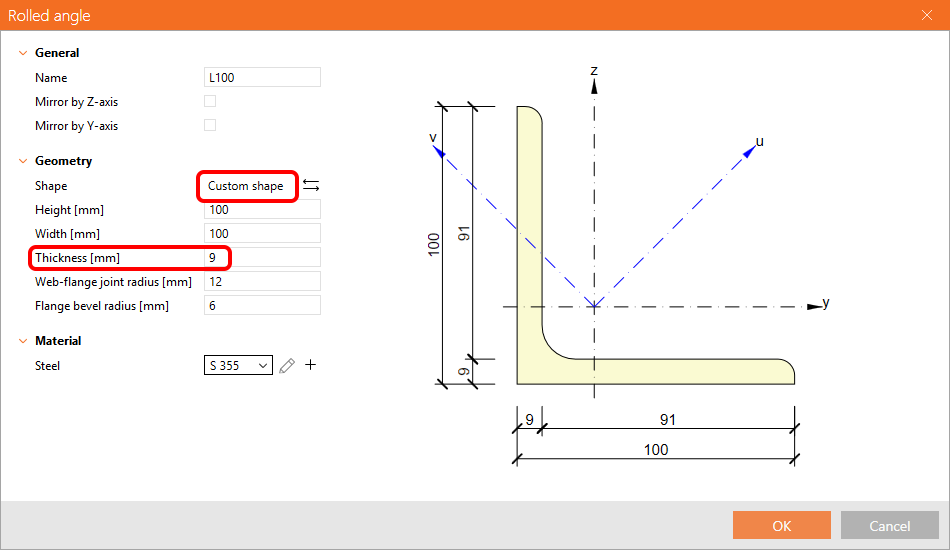
The custom section is displayed in the Materials tab.
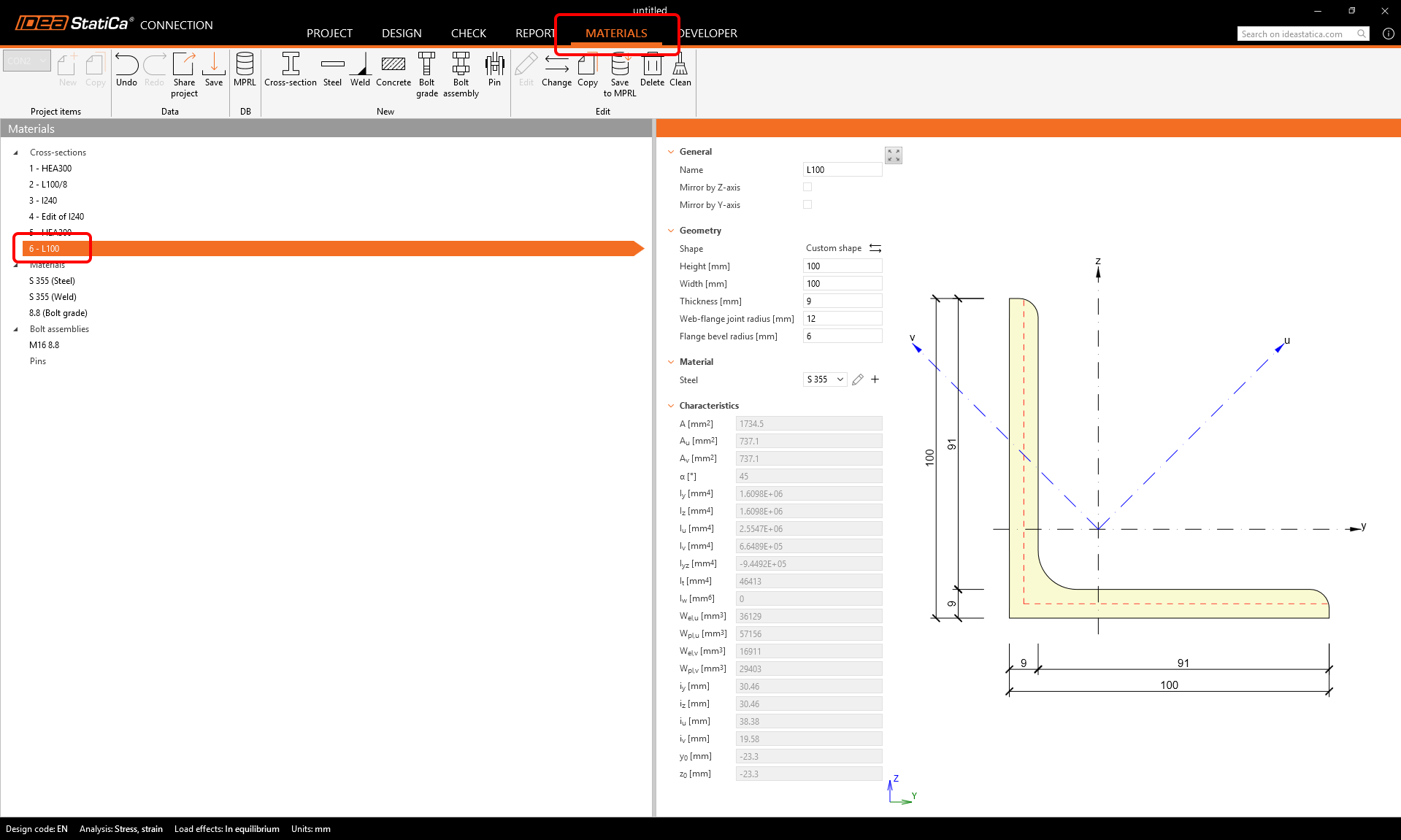
Saving a library section into the MPRL
The custom section can be saved into the MPRL using the button in the top ribbon.

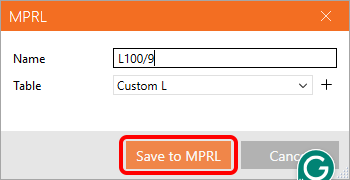
The name of the cross-section can be adjusted and saved to a selected/created table in the MPRL.
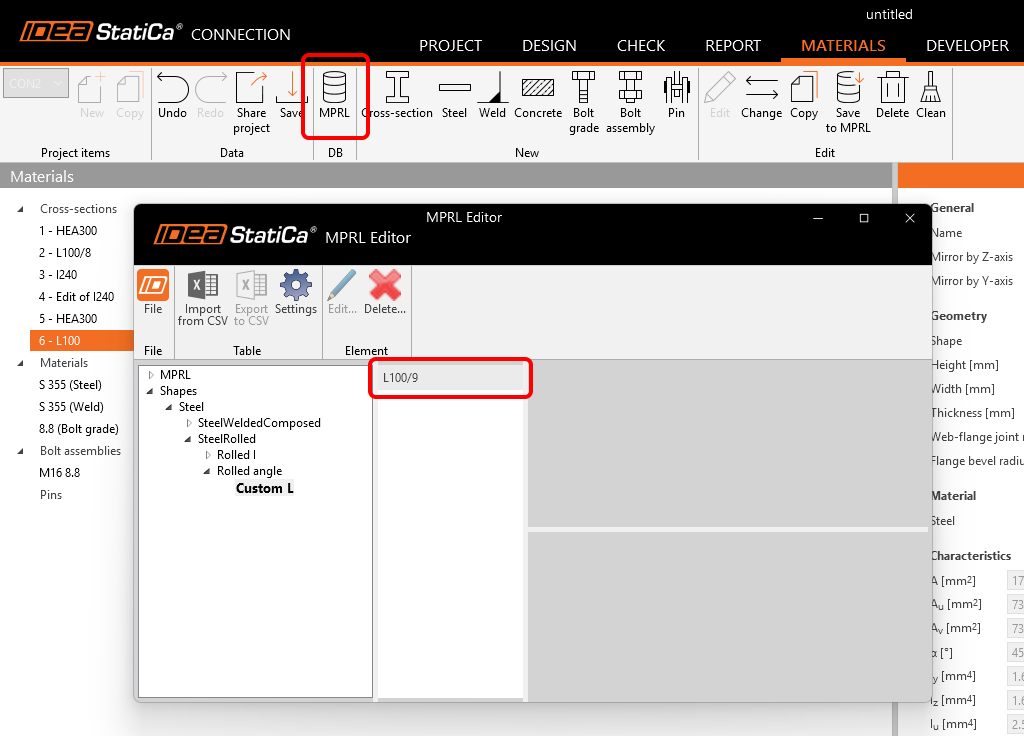
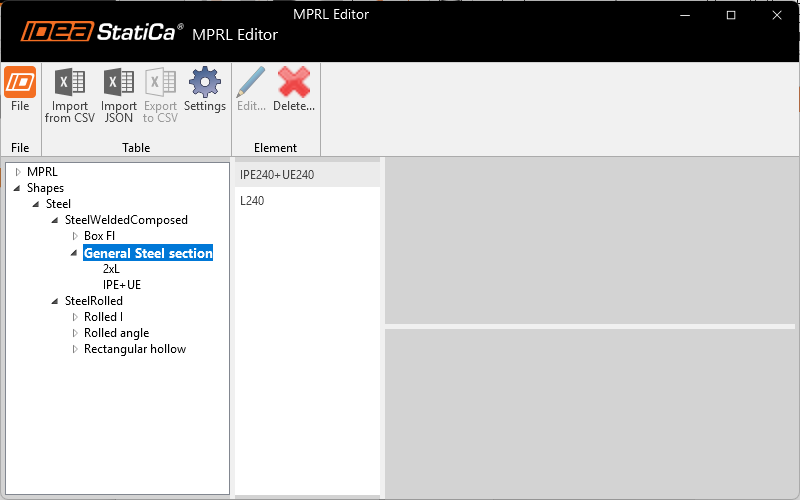
In the MPRL, the custom L (100/9) is saved to the selected location.
Saving a general cross-section into the MPRL
It is also possible to save the custom cross-section created in the Cross-section editor into your MPRL (since version 25.0.3).
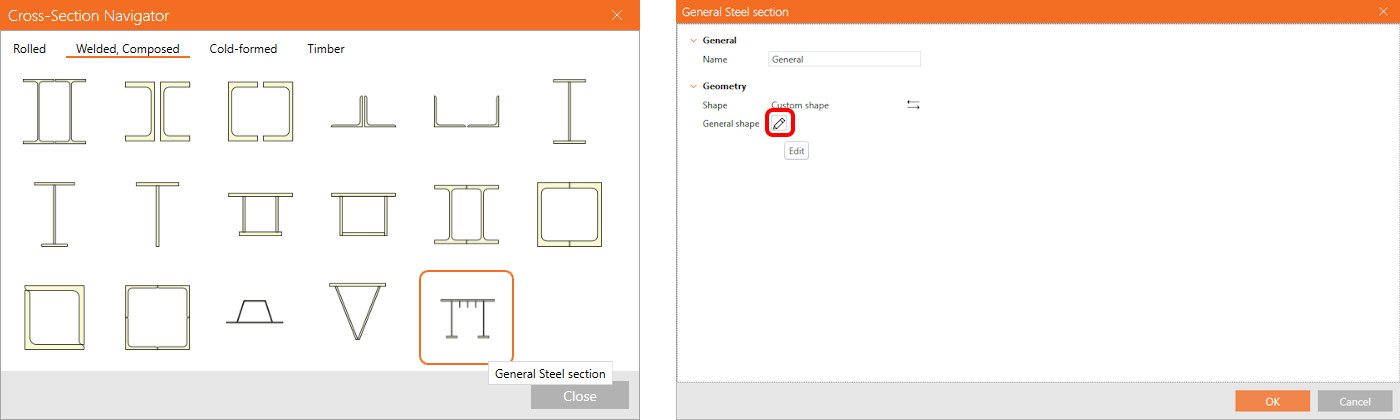
The general cross-section can be defined in the Editor, which can be opened from the cross-section library.
In Materials, save the general section into your MPRL.
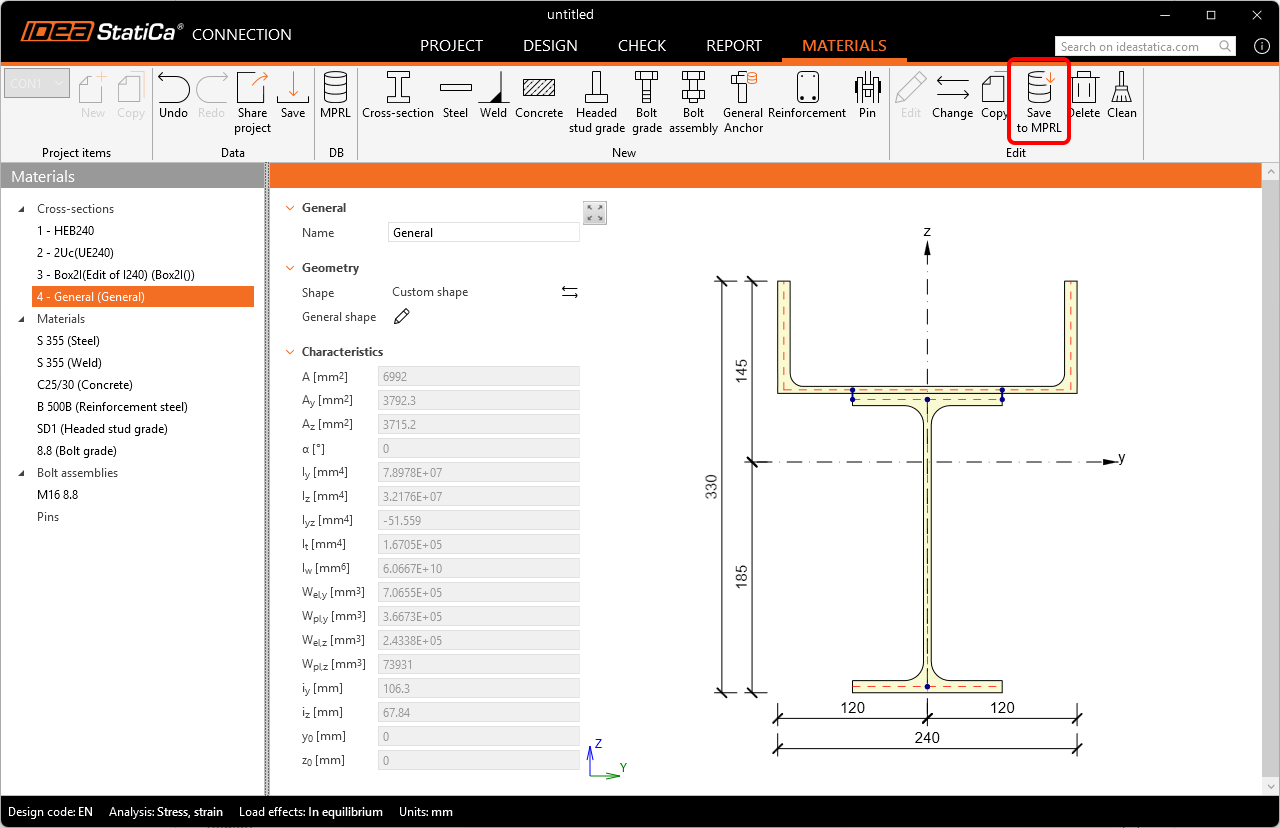
These sections are saved together in the dedicated place in the MPRL under welded sections.
Limitations
- Saving the compounded (paired) sections: 2I, 2Uc, 2Uo, 2Lt, 2Lu, Box 2i, Box 2U, Box 2L, Box 4L is not available at the moment.
The suggested workaround is to build these as a general steel cross-section. - Saving concrete sections is not available at the moment.
Loading a section from the MPRL
In a new Connection or Checkbot project, you can load the previously saved custom cross-sections from the MPRL using the standard cross-section library.
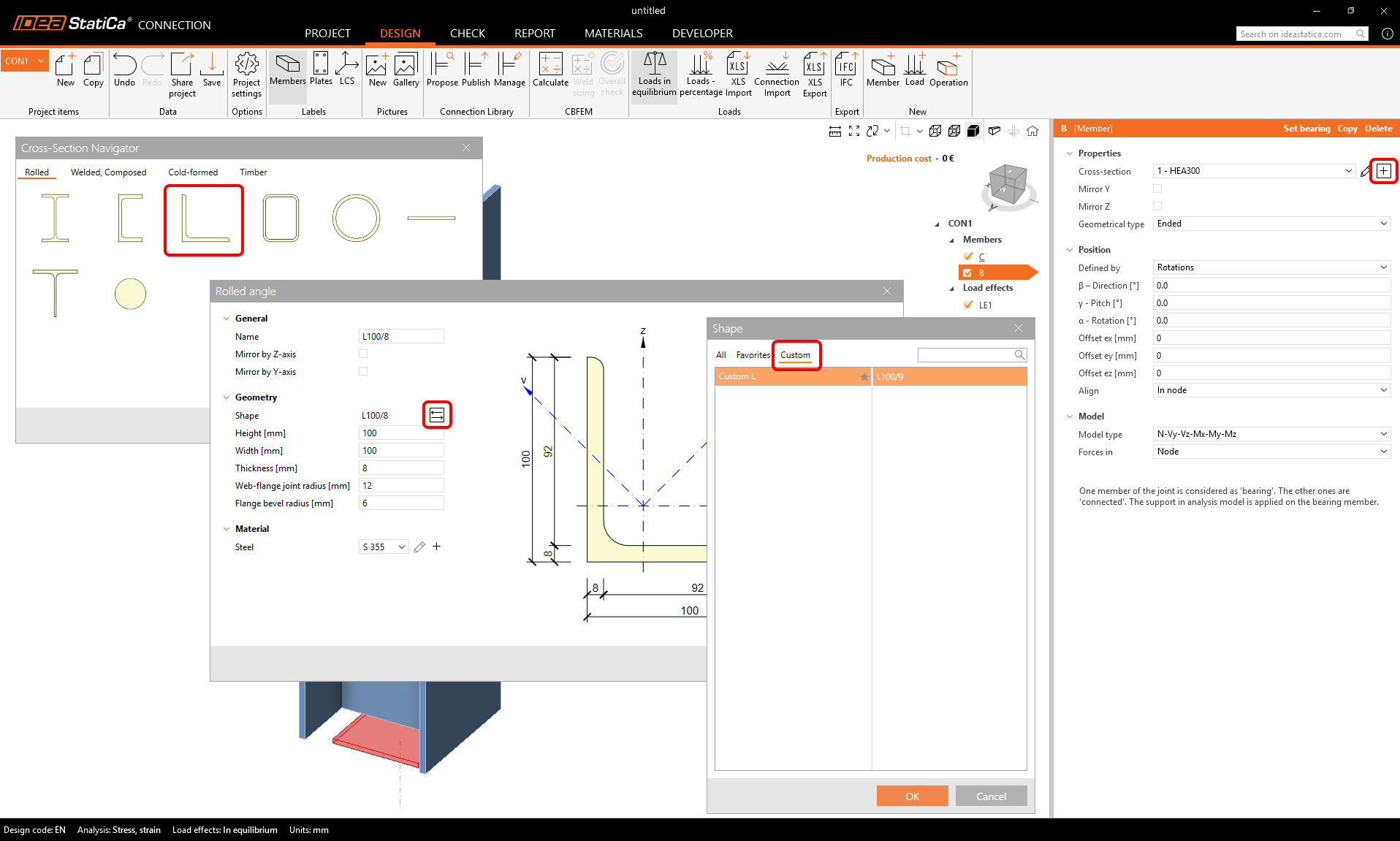
The shape selector includes a Custom section, where only custom shapes stored in the MPRL under certain types are available. Note that custom tables are also available in All and can be marked as Favorites.
Exporting and importing cross-sections from/to the MPRL
The direct export/import of cross-sections from/to the MPRL is not currently available.
To share the entire custom shapes library, you can share the following file, which can be copied to another computer (to the same location).
%AppData%\IDEA_RS\user_mprl_v2.sqlite
Released in IDEA StatiCa version 24.1.4, updated in version 25.0.3.