Idea Statica
Steel
Concrete
BIM & Workflows
Support & Learning
Pricing
Company
14-Day Trial
Support CenterKnowledge BaseHow to change units in IDEA StatiCa
Codes supported in IDEA StatiCa Concrete
Project settings
Shared Preferences across the whole tool range
How to change units in IDEA StatiCa
All applications: Search box
Keyboard shortcuts (hotkeys) in IDEA StatiCa apps
IDEA StatiCa BIM interoperability for steel
IDEA StatiCa BIM interoperability for concrete
Checkbot – bulk BIM workflows
Bulk workflows and critical load filter in Checkbot
Export of editable connections from Checkbot
How to merge the joint from CAD and FEA software
Add or merge nodes of connections and members in Checkbot
Import of recommended welds
Checkbot ready for big projects
Checkbot Free – the structural design hub for FEA and CAD data
Checkbot (BIM link) does not start
Shared Preferences across the whole tool range
How to change units in IDEA StatiCa
Multi-management tools in Checkbot
Project settings
Shared Preferences across the whole tool range
Project settings
How to change units in IDEA StatiCa
How to change the design code of Connection project
Keyboard shortcuts (hotkeys) in IDEA StatiCa apps
3D presentation: Scene options
Setting up parametric design with Developer Tab
The coherent icons and ribbon of IDEA StatiCa Connection
Codes and standards supported in IDEA StatiCa Steel
Decimal separator and date format according to Windows Regional Settings
How to change units in IDEA StatiCa
SteelConnection designMember designConcreteKnowledge base

How to change units in IDEA StatiCa

This article is also available in
ENCSDEITNL

The system of units, their precision, and format can be changed anytime during your work in IDEA StatiCa. The presented settings apply for Connection, Member, Checkbot and Detail.

The unit settings can be found under Preferences. This is shared over multiple IDEA StatiCa applications. Find out more in the Shared Preferences across the whole tool range article. 


The preferences can be found under the Project tab - Preferences.
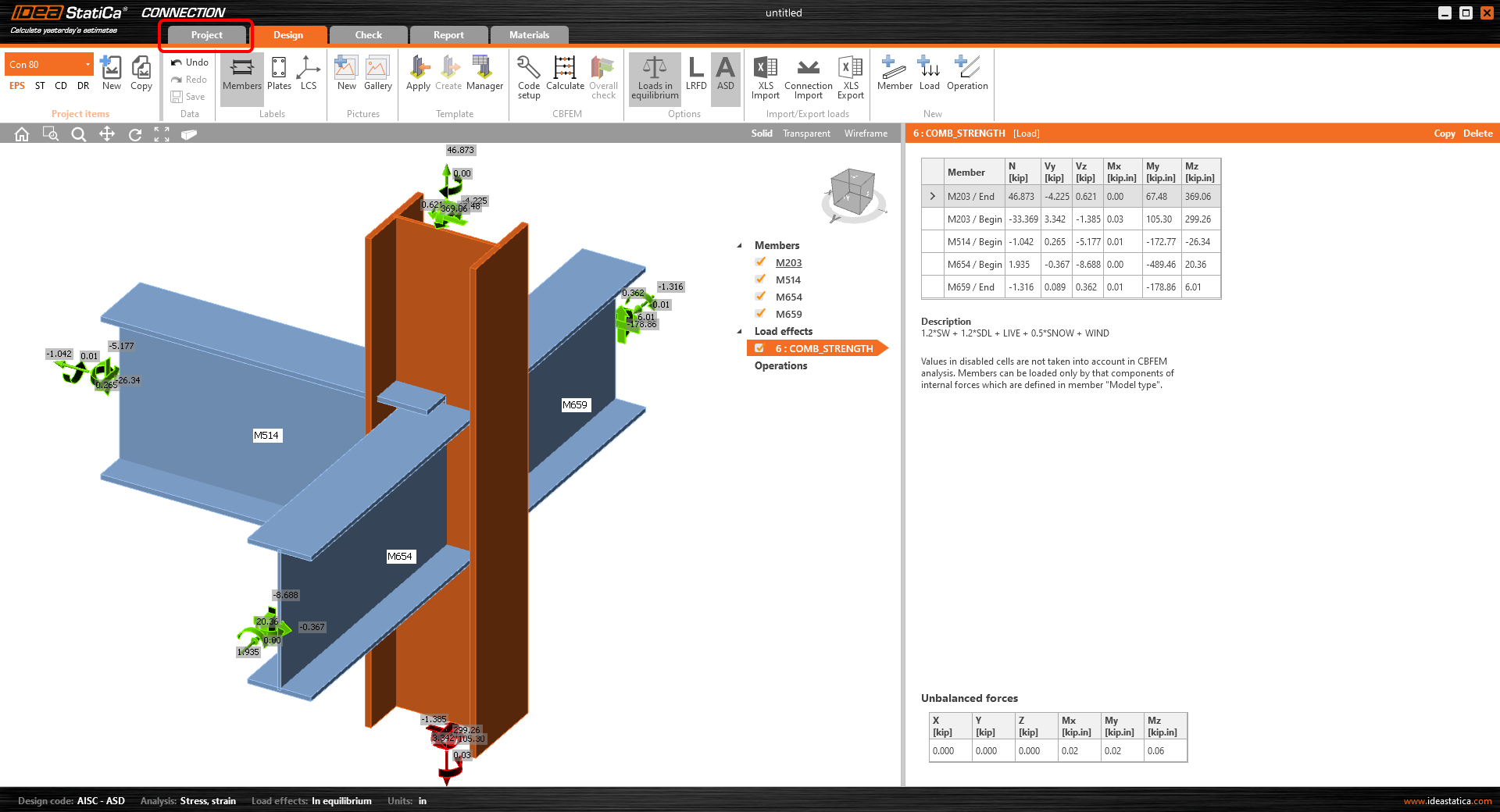
How to change units in IDEA StatiCa

Alternatively, you can enter the unit settings from the bottom panel of the 3D scene.
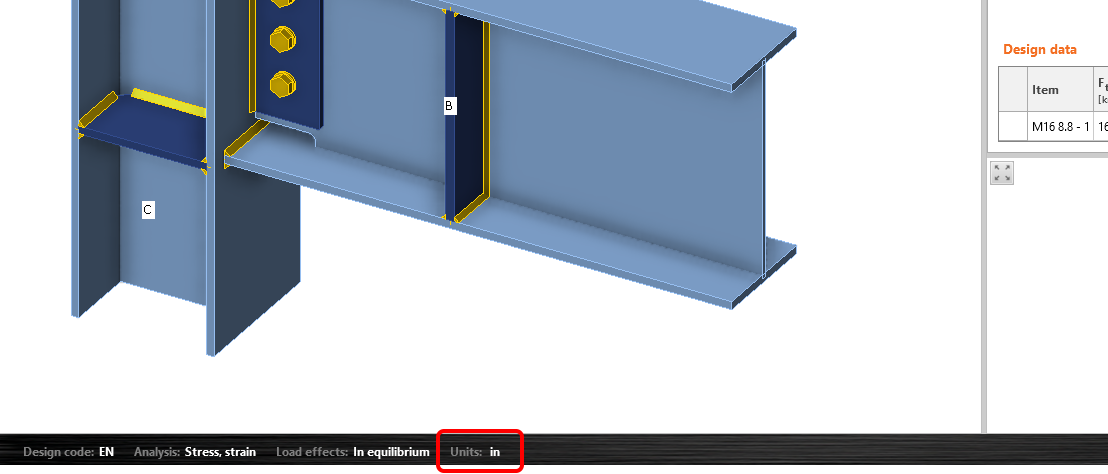
How to change units in IDEA StatiCa

Here, you can change the unit settings according to your needs. You can choose between imperial or metric units, such as m, mm, ft, in, etc. You can also set the precision of units (number of decimal values) and change the display format in the app (automatic, decimal, scientific). 
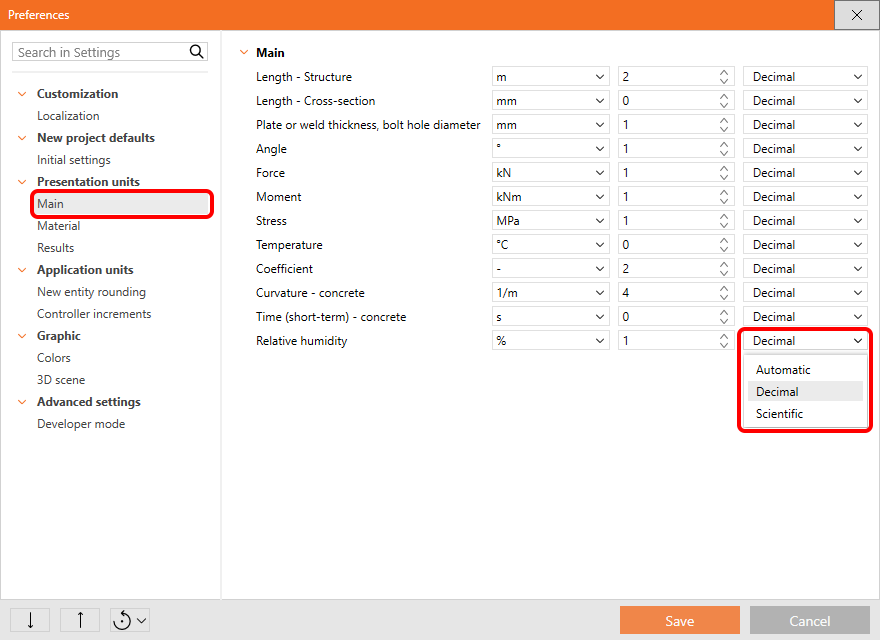
\[ \textsf{\textit{\footnotesize{Main units settings}}}\]
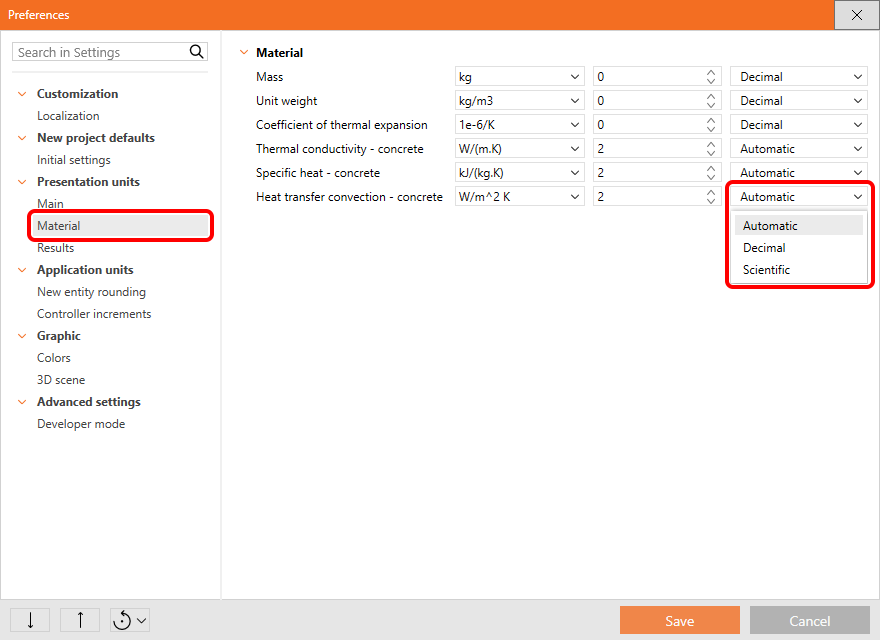
\[ \textsf{\textit{\footnotesize{Material units settings}}}\]
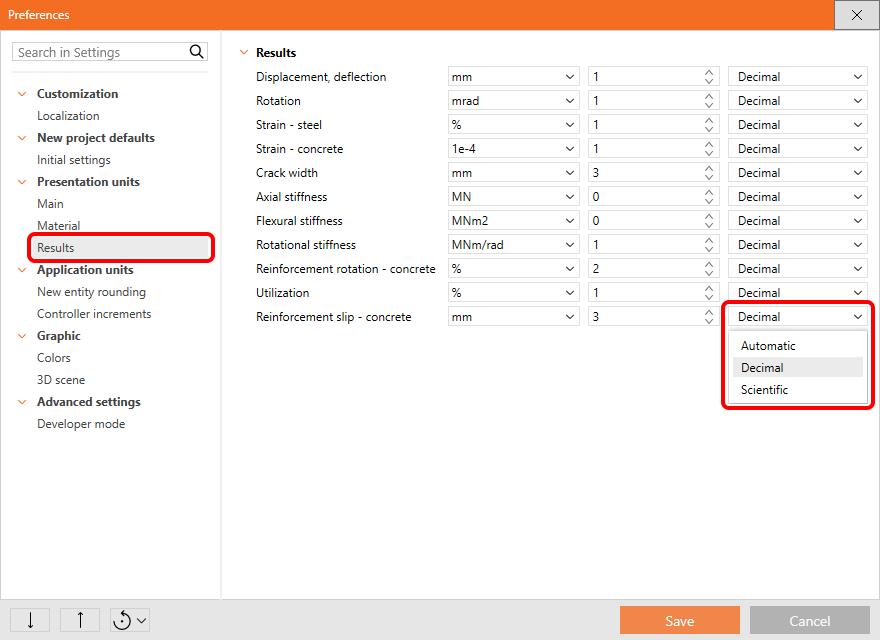
\[ \textsf{\textit{\footnotesize{Results units settings}}}\]

For the imperial units, you can also choose between decimal or imperial format of numbers.
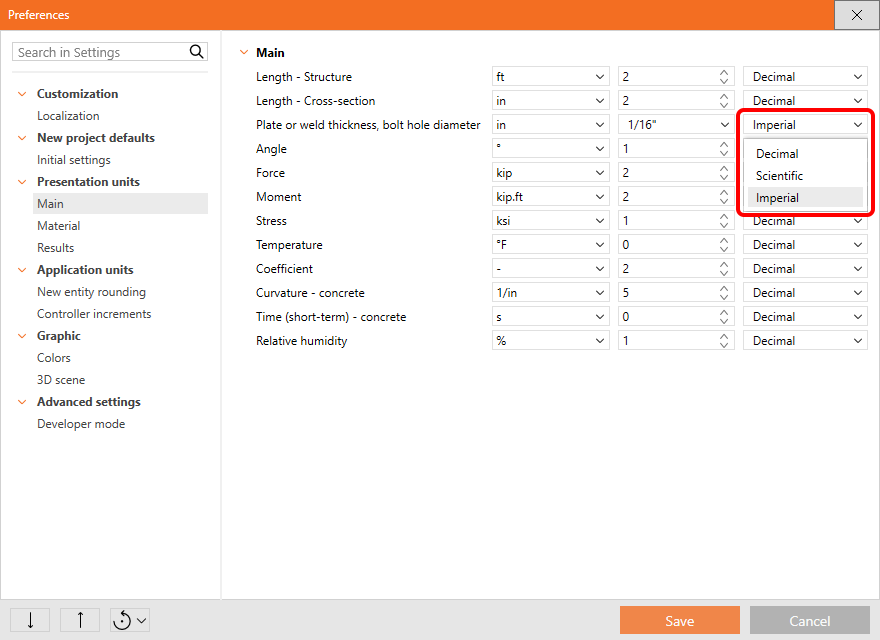
The decimal separator is taken from the Windows system settings, see Decimal separator and date format according to Windows Regional Settings.

Setting the Default state

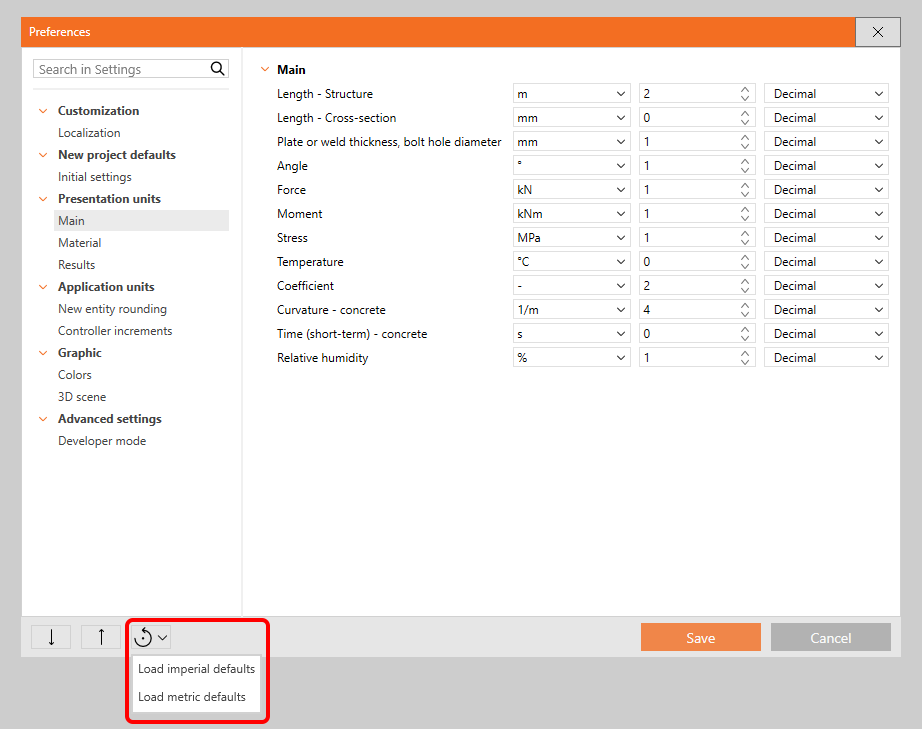
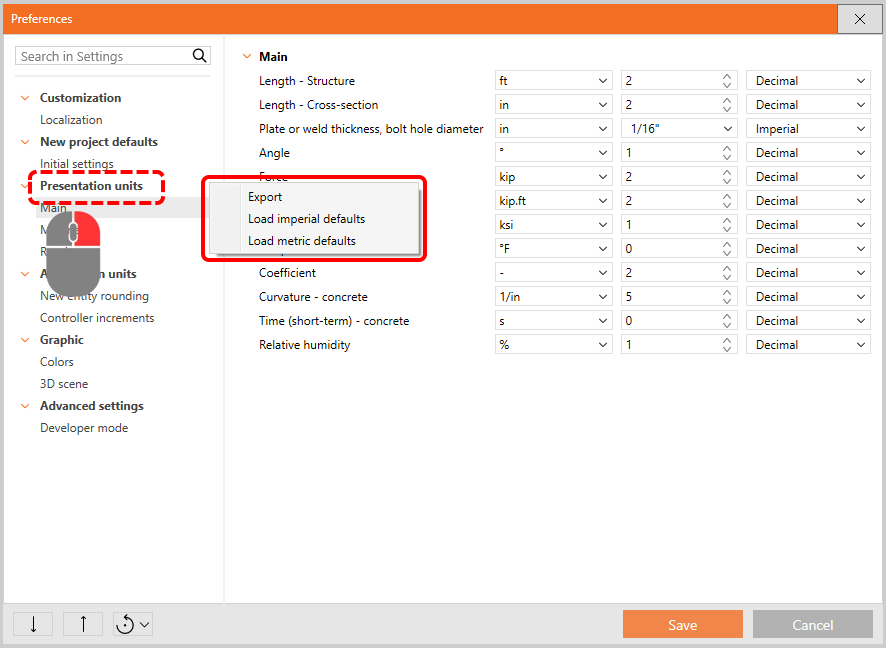
There are two ways to restore the parameters to their default settings. The default values are prepared in two versions: Imperial and Metric.

 1) Reset the whole list of preferences
 2) Reset just the specific category (using the right mouse button)
Export/Import of settings

You can Export and Import the whole preferences set or just a part of it via a .json file and share it with your colleagues.

To export and import all preferences, select the appropriate icons in the bottom left corner of the dialog.
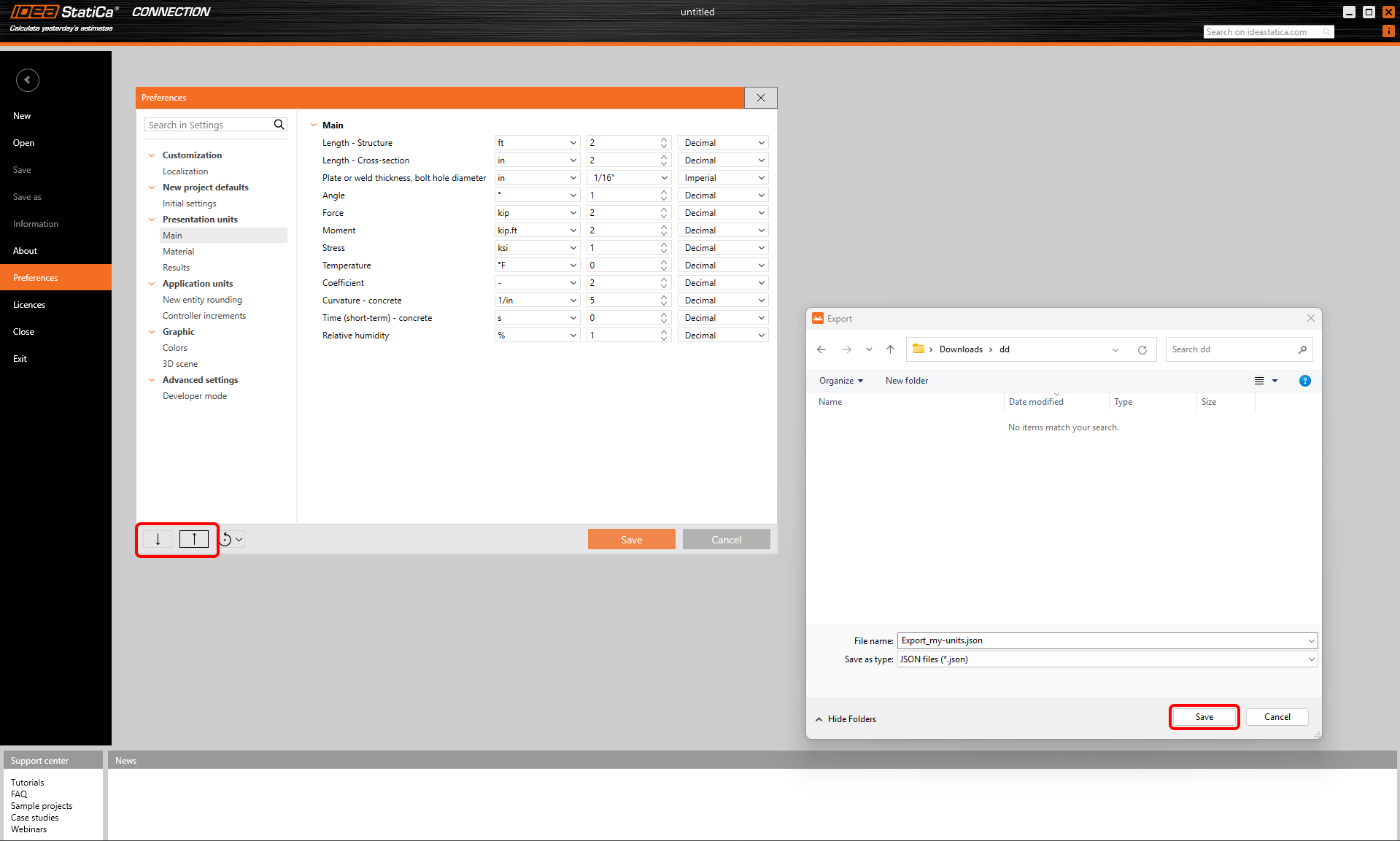
How to change units in IDEA StatiCa

To export and import only one chapter of the preferences, a context menu is available when you right-click the chapter in the menu.

Subscribe to our newsletter

Company

  • About us
  • Partnerships
  • Job openings
  • Patented technology for structural engineers

Resources

  • Customer projects
  • Case studies
  • IDEA StatiCa Connection Library
  • Concrete verifications

Legal

  • IDEA StatiCa END USER LICENSE AGREEMENT
  • Privacy policy
  • Terms of Services – IDEA StatiCa Viewer
  • Licensing

Help

  • Contact
  • Get price quote
  • IDEA StatiCa Specialists
  • Download the latest version
FacebookInstagramLinkedInYouTube

© IDEA StatiCa 2009-2026

Trusted and used worldwide by engineers, fabricators & consultants.