


Stress peaks (singularities) can be neglected from the stress limitation check! Before we explain this option in detail, let's recall how the singularity, which can be neglected, and stress concentration, which cannot be neglected, differ. In the figure below, you can see a typical stress peak (singularity) in a sharp corner and a typical stress concentration around an opening.
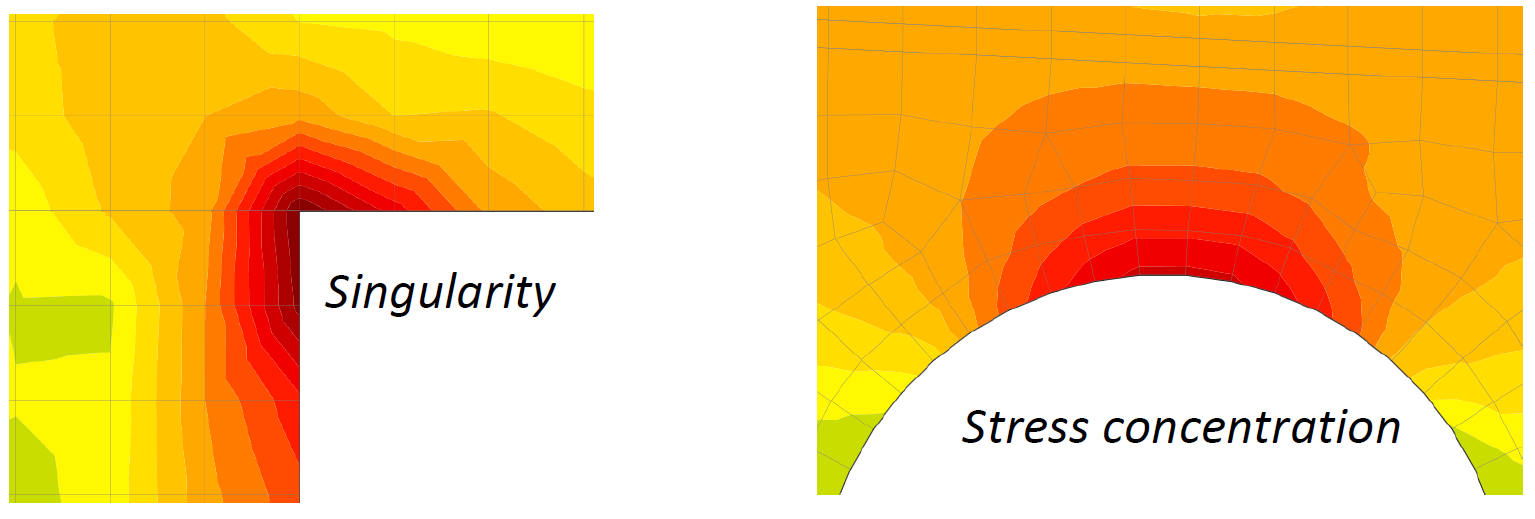
It looks very similar, so how can you recognize the singularity from the stress concentration? When can you use the limited stress check? Well, the fact is that the decision is always up to the responsible engineer. We can offer you advice and name some typical singularities to help you.
- When there is a rapid change in stress in one element of the mesh – there is a singularity.
- If the stress is high above the limit only in one node of the mesh – there is a singularity.
- Only the very small areas of unsatisfactory stress should be neglected.
- Typical singularities – sharp corners, the point of the mesh that is near to the anchorage or bearing plate and is not included in the partially loaded area.
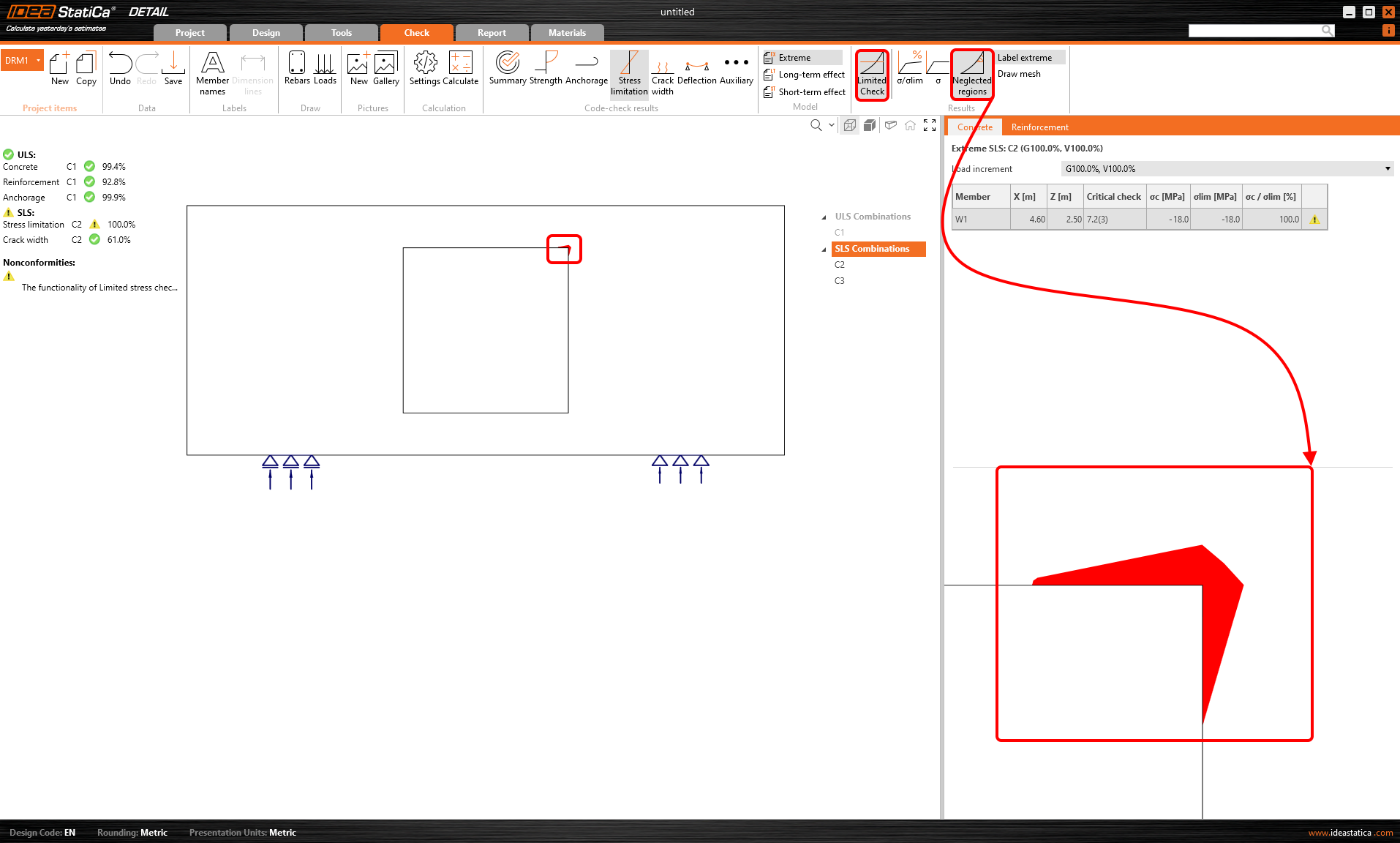
Now, let's explain how the feature works. There is a wall with an opening with an unsatisfactory stress limitation check in the right sharp corner.
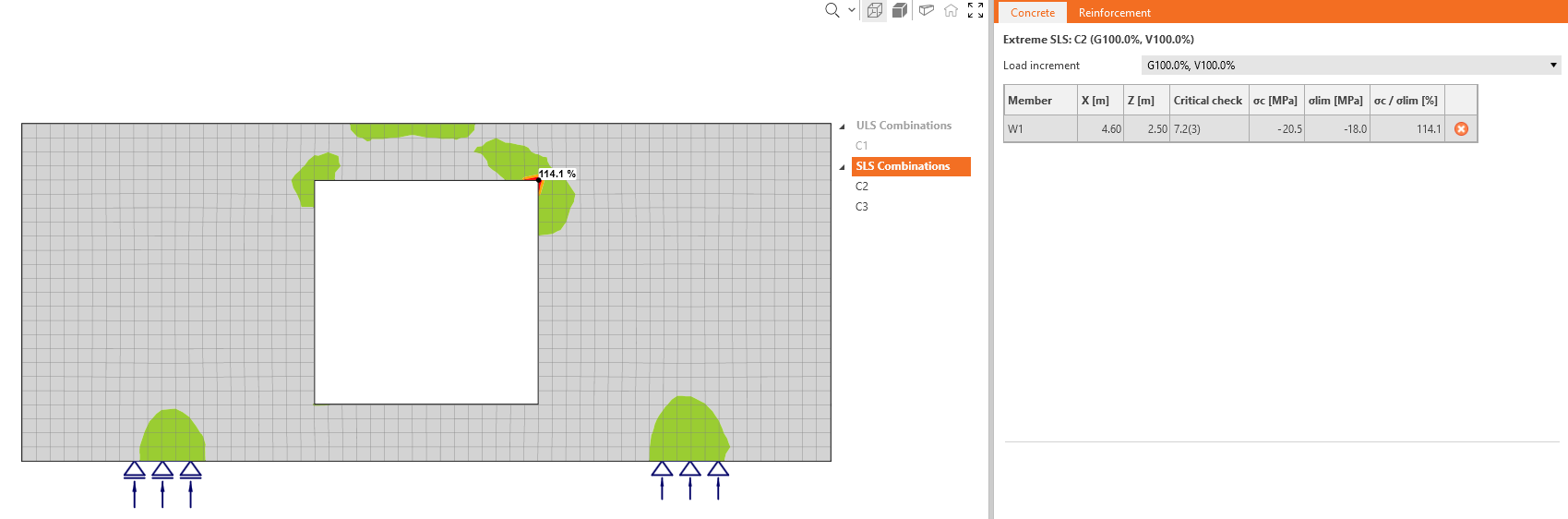
As you can see, the area is very small according to the whole structure. There is a option in the top ribbon that allows you to neglect the unsatisfactory areas.
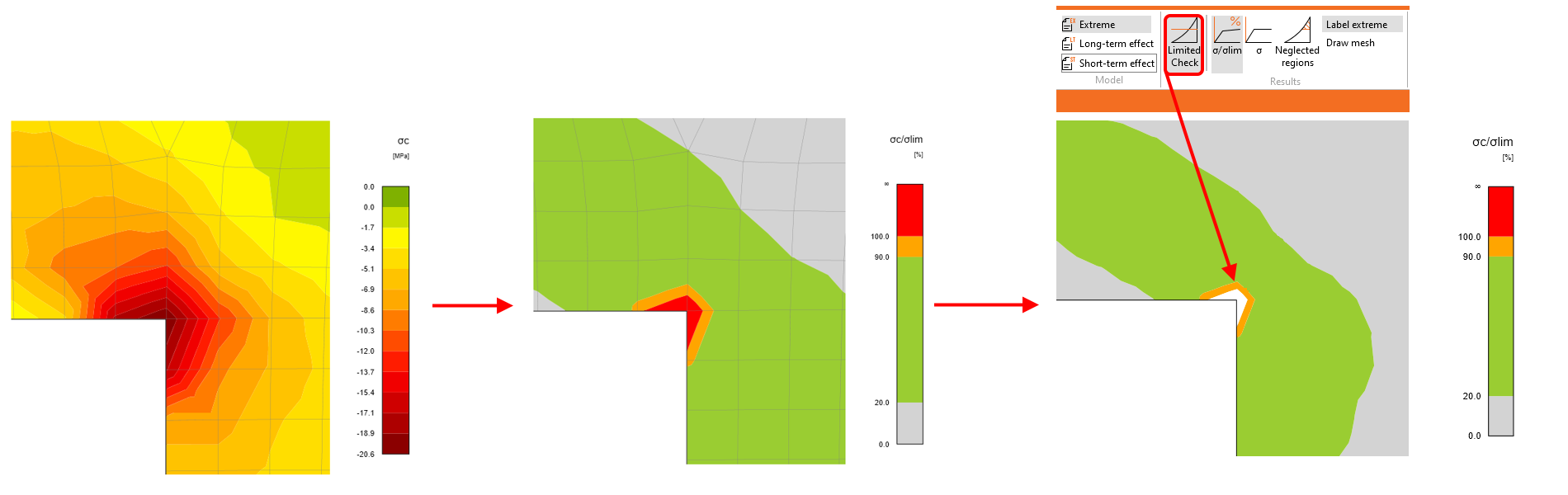
The utilization is then 100%, and nonconformity appears.
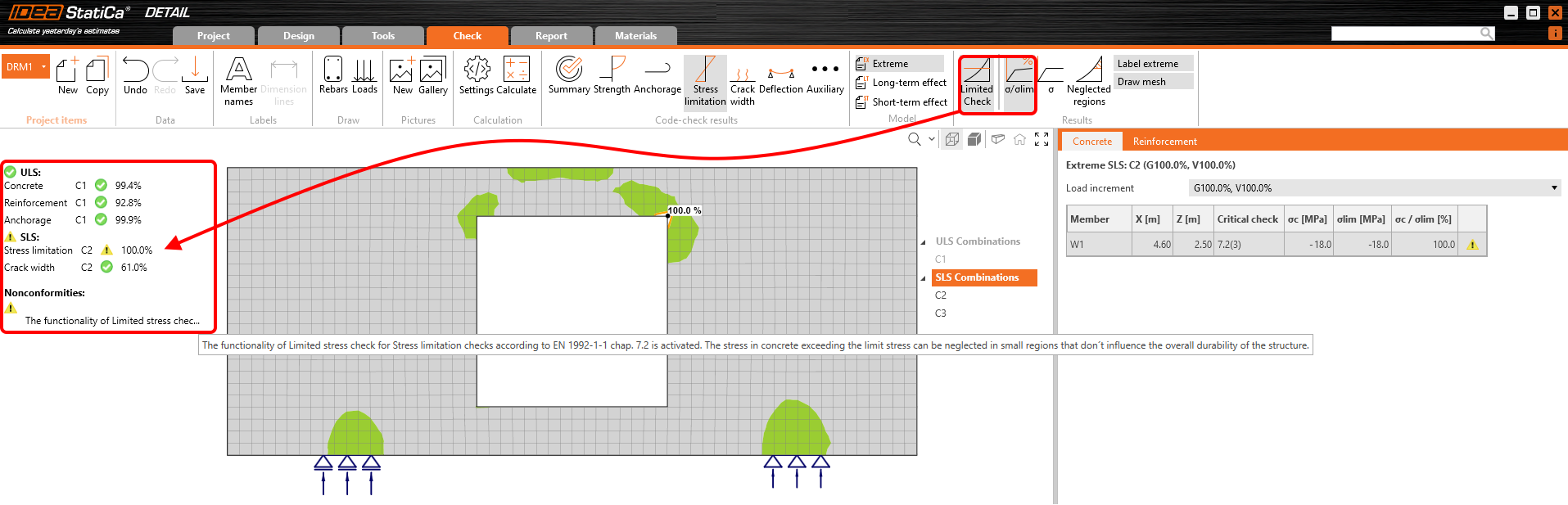
You can also display the neglected areas.
All of these checks and images can be added to the report. So it will be shown that some areas were neglected, or how large these areas are. You can choose if you want to report original values or not, etc.