Idea Statica
Steel
Steel overview
Connection design
Member design
Parametric design
Steel case studies
Concrete
Concrete overview
Walls and D-regions
Anchoring design
Concrete case studies
BIM & Workflows
BIM Overview
Supported integrations
Checkbot
Viewer
APIs
Support & Learning
Support Center
E-learning & certification
Blog
Downloads & Licensing
Pricing
Plans
Free community tool
Enterprise customers
Students & educators
How much will you save?
Company
About us
Contact
Research & development
Authorized resellers
Meet our customers
14-Day Trial
Support CenterKnowledge BasePresentation of relevant curve results in detailed graphs in IDEA StatiCa Detail
Singularities vs. stress concentration area
Thorough CSFM results available
Crack width check improvements
Limited stress check feature in Detail
Presentation of relevant curve results in detailed graphs in IDEA StatiCa Detail
Anchorage check step by step
Presentation of relevant curve results in detailed graphs in IDEA StatiCa Detail
ConcreteKnowledge baseDetail 2Dv23.1v24.0

Presentation of relevant curve results in detailed graphs in IDEA StatiCa Detail

This article is also available in
ENCSDEESFRITPTNLHURO

The IDEA StatiCa Detail application allows you to visualize load-deformation, stress, strain, and other relevant curves directly within the detailed scene for a selected structure component.

This is achievable through a combination of "Shift" + left mouse click or the right mouse click context menu. The displayed curve encompasses all calculated load increments for the chosen load case or combination. A specific load increment, as selected from the ribbon, is prominently marked on the chart.
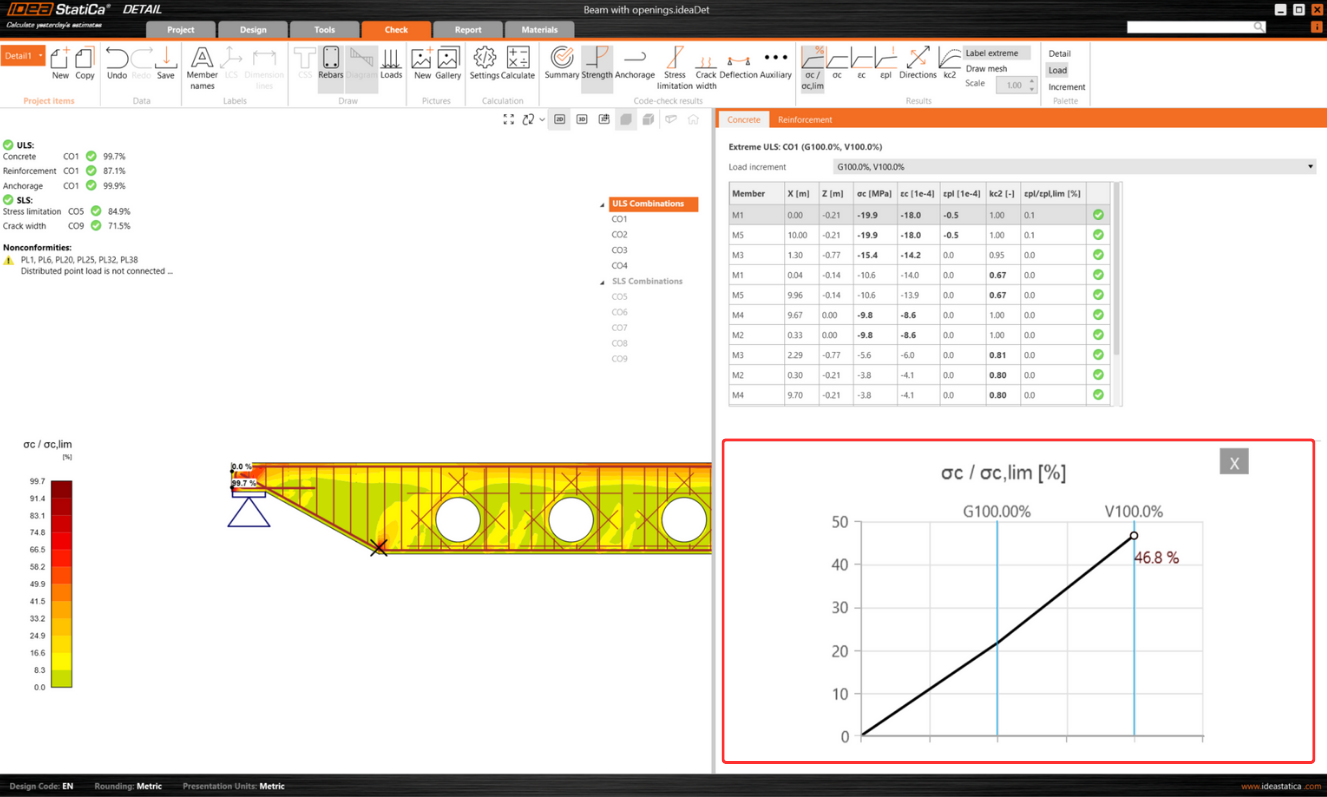
The horizontal axis of the chart denotes the applied load, with symbols representing 100% of applied prestressing (P), permanent load (G), and variable load (V).

The system provides detailed insights into stresses, strains, deformation, crack width, and anchorage forces, among other parameters.

Additionally, you can export the data displayed in the chart into bitmap, CSV, or DXF formats. This option is accessible through the chart's context menu, allowing for further data analysis and documentation outside the software's environment.
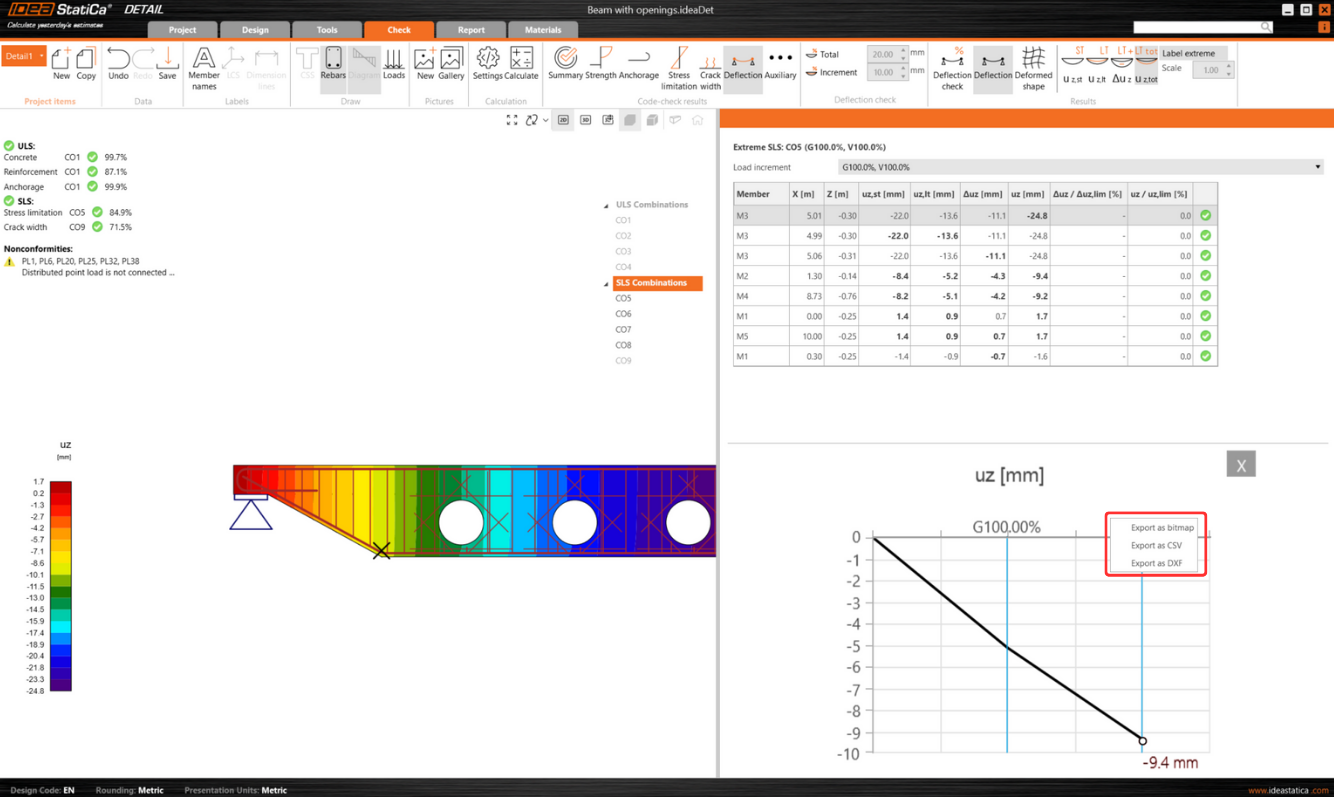
Released in IDEA StatiCa patch 23.1.3.

Check out IDEA StatiCa for free

Subscribe to our newsletter

Company

  • About us
  • Partnerships
  • Job openings
  • Patented technology for structural engineers

Resources

  • Customer projects
  • Case studies
  • IDEA StatiCa Connection Library
  • Concrete verifications

Legal

  • IDEA StatiCa END USER LICENSE AGREEMENT
  • Privacy policy
  • Terms of Services – IDEA StatiCa Viewer
  • Licensing

Help

  • Contact
  • Get price quote
  • IDEA StatiCa Specialists
  • Download the latest version
FacebookInstagramLinkedInYouTube

© IDEA StatiCa 2009-2026

Trusted and used worldwide by engineers, fabricators & consultants.