Idea Statica
Steel
Steel overview
Connection design
Member design
Parametric design
Steel case studies
Concrete
Concrete overview
Walls and D-regions
Anchoring design
Concrete case studies
BIM & Workflows
BIM Overview
Supported integrations
Checkbot
Viewer
APIs
Support & Learning
Support Center
E-learning & certification
Blog
Downloads & Licensing
Pricing
Plans
Free community tool
Enterprise customers
Students & educators
How much will you save?
Company
About us
Contact
Research & development
Authorized resellers
Meet our customers
14-Day Trial
Support CenterTutorialsSteel joint design resistance (AISC)
IDEA StatiCa Connection step-by-step tutorial for the structural design of a steel joint and calculation of its resistance. Structural design of welded and bolted steel connections.
Connection designSteelTutorialsConnectionAISC (USA)

Steel joint design resistance (AISC)

This article is also available in
ENCSDEESFRITPTNLHURO

Learn how to how to use software IDEA StatiCa to model, design and check a structural steel joint and calculate Joint design resistance.

1 New project

Start by launching the IDEA StatiCa Connection and open the project file for this tutorial.

Since the tutorial involves the AISC code, make sure to set imperial units (see How to change the system of units).

2 Check

Start the analysis of the first connection CON1 by clicking Calculate in the ribbon. The analysis model is automatically generated, and the calculation is performed.

The user can see the overall summary check and a quick traffic light showcasing the utilization ratio for all components.

3 Joint design resistance

Copy the project item first to save the previous work and change the analysis type to DR (Joint design resistance) for Connection 2. This has already been done in the attached file, so the user may just change to CON2.

Now the user can calculate the Joint design resistance analysis by Calculate command in the top ribbon.

4 Check

Let’s proceed to the Check tab and Joint design resistance tab in the result tables. The application gives us the factoring percentage of the load to reach joint design resistance. The figure for the percentage increment load to strain dependence is also provided. The values of the Design load and Design resistance are provided to visualize the results.

We have designed, code-checked, and calculated the joint design resistance of the connection according to AISC.

Open in ViewerDownload

Learn how to use IDEA StatiCa effectively with our self-paced e-learning courses

Start learning
RELATED CONTENT

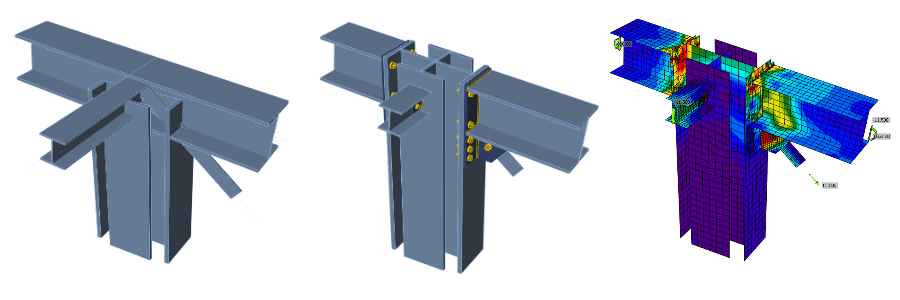
IDEA StatiCa Connection step-by-step tutorial for the structural design of a general 3D joint. Structural design of welded and bolted steel connections.
  • Connection design
  • Steel
  • Tutorials

Structural design of a general 3D joint (AISC)

Read more
IDEA StatiCa step-by-step tutorial on designing and performing seismic code-check of a steel joint using Capacity design analysis. Structural design of welded and bolted steel connections.
  • Connection design
  • Steel
  • Tutorials

Steel connection capacity design (AISC)

Read more
  • Connection design
  • Steel
  • Tutorials

Stiffness analysis of a steel connection (AISC)

Read more
  • Steel
  • Connection design
  • Webinar

Tackling IDEA StatiCa Connection - The basics

Read more
Explore all

Subscribe to our newsletter

Company

  • About us
  • Partnerships
  • Job openings
  • Patented technology for structural engineers

Resources

  • Customer projects
  • Case studies
  • IDEA StatiCa Connection Library
  • Concrete verifications

Legal

  • IDEA StatiCa END USER LICENSE AGREEMENT
  • Privacy policy
  • Terms of Services – IDEA StatiCa Viewer
  • Licensing

Help

  • Contact
  • Get price quote
  • IDEA StatiCa Specialists
  • Download the latest version
FacebookInstagramLinkedInYouTube

© IDEA StatiCa 2009-2026

Trusted and used worldwide by engineers, fabricators & consultants.