

The Ideal Workflow
From my experience as a structural engineer, most software solutions do not completely support my (or my company's) workflow. Most of the time, the software handles 90-95% of the job, leaving 5-10% of the workflow for the user. This is because a small percentage of the workflow is usually region/country specific and not applied worldwide. Although this seems like a small percentage, that portion of the workflow is mostly repetitive and boring. I believe that most structural engineers or consultancy companies have a similar experience: an ideal workflow they wish software would support.
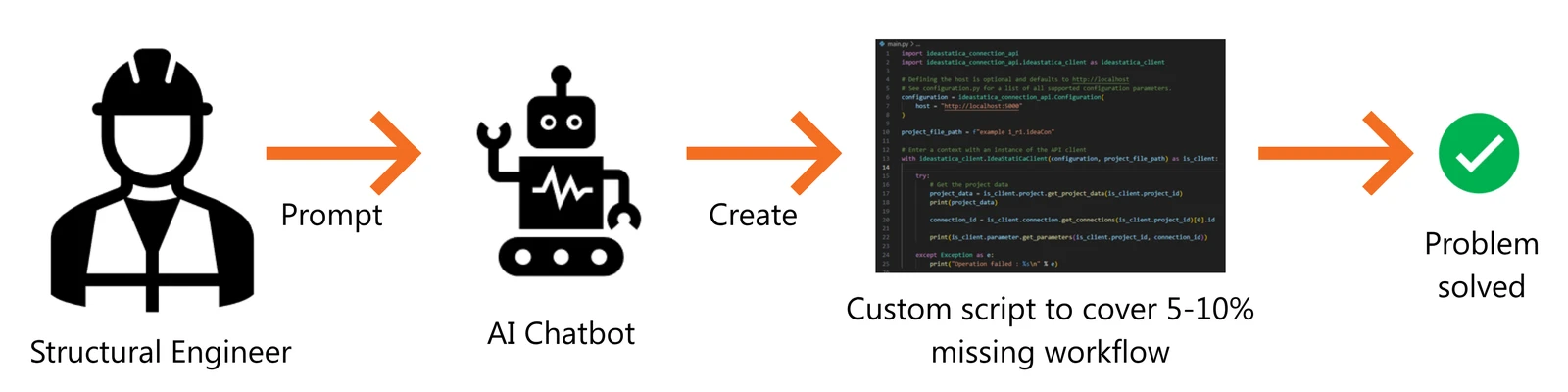
If the software has an API (Application Programming Interface) (don't worry if you have not heard it, I will explain it later), developing a custom script would be the most ideal way to automate that missing 5-10%. Structural engineers are not expected to be familiar with coding, as our main job is to design a safe and stable structure. This is where AI comes in handy.
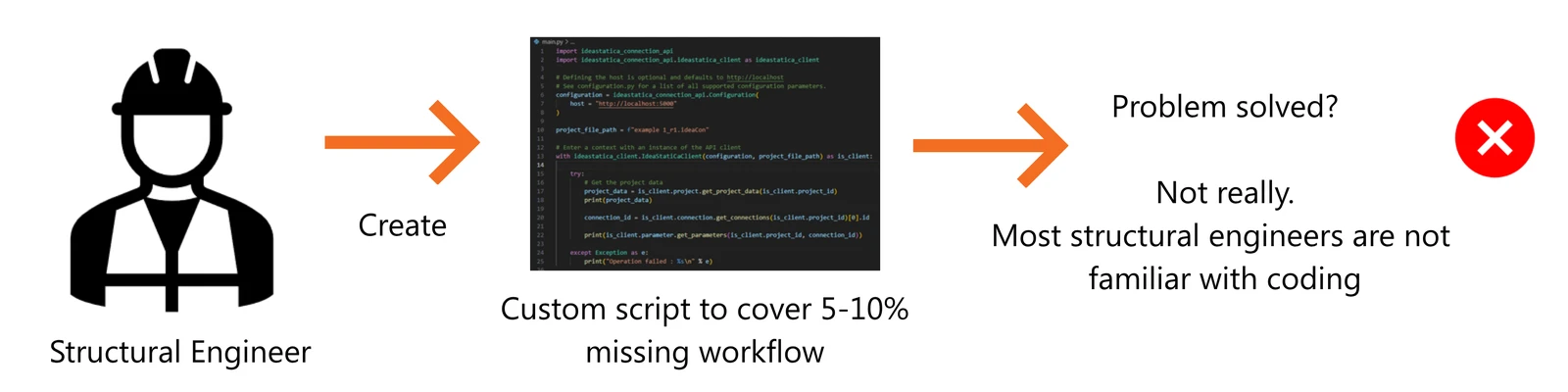
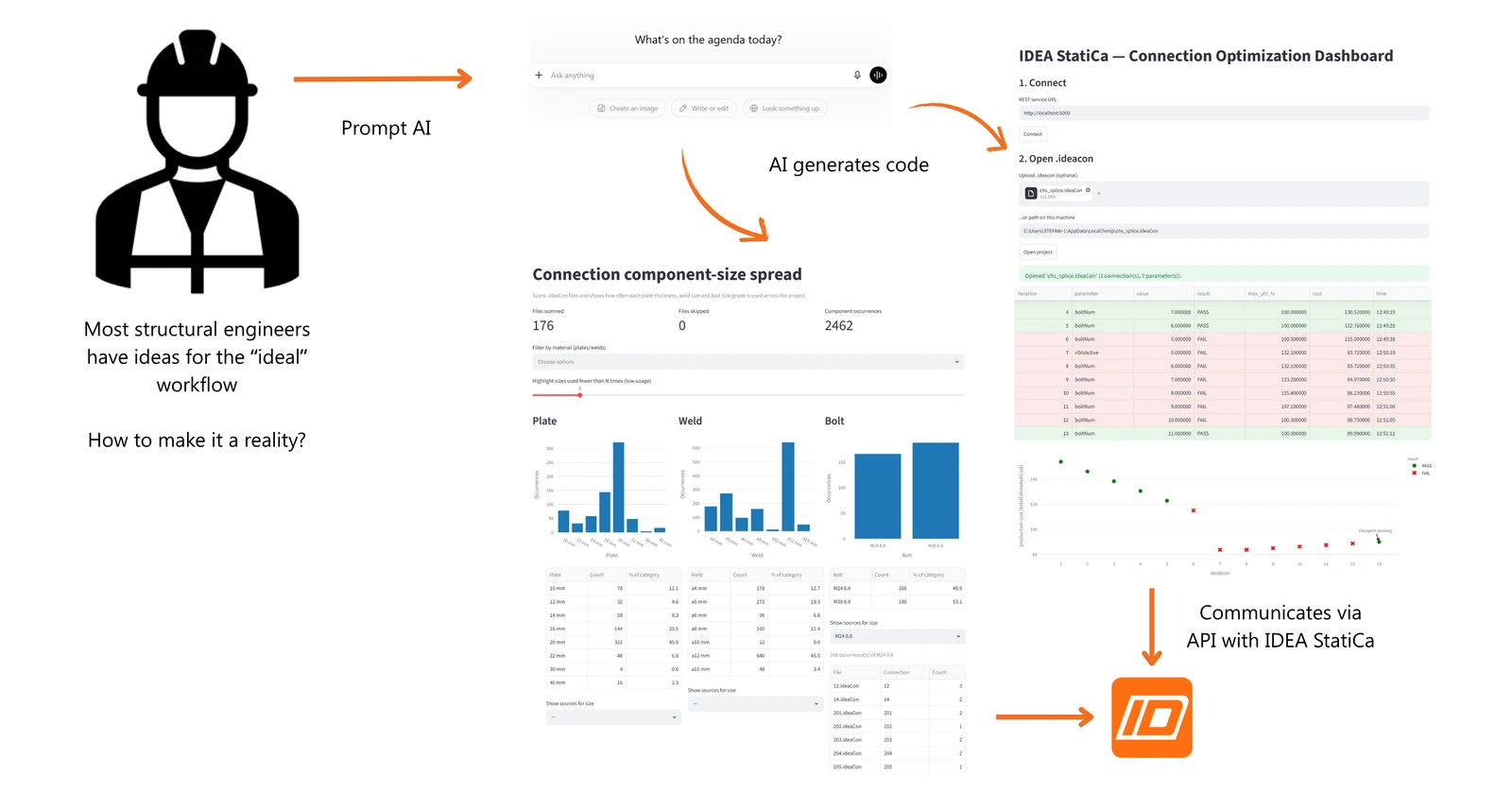
With recent technological advancements, AI chatbots can be more useful than just drafting emails and searching the web. AI can actually help us with our daily job. AI can produce a working script automatically, which can cover that missing 5-10%, even without coding knowledge. Instead of structural engineers generating the code, it is possible to talk to an AI chatbot to generate the code. Structural engineers can simply evaluate the end result. You will see how in the example below.
Application Programming Interface (API)
Application Programming Interface or API is similar to the Graphical User Interface (GUI) that we use every day. GUI is the interface of a software where you do your clicks, rotate around your model, inspect the analysis result, click "save," and so on. API is similar to that, but the only difference is that it is designed for computers instead of humans. Humans use a GUI to interact with IDEA StatiCa, whereas computers use an API to interact with IDEA StatiCa. But what is an API used for?
Computers are good at handling boring and repetitive tasks, while humans may get tired and make mistakes. API is exactly designed to mitigate this; to allow computers to directly talk to software to automate boring tasks! Thus, we can use a script that communicates with the IDEA StatiCa API.
Setup
Please install:
- Python 3.11+
- IDEA StatiCa version 25.0+
- Any AI Chatbot (ChatGPT, Claude etc)
Start IDEA StatiCa API by going into the installation folder (C:\Program Files\IDEA StatiCa\StatiCa 26.0) and running IdeaStatiCa.ConnectionRestApi.exe.
Case Study 1: Standardizing Sizes
In Checkbot, every node is grouped by typology. While designing each group, structural engineers usually do not take note of the sizes they are using on one group and standardize it for other similar groups. This often creates a high variability for sizes (plate thicknesses, bolt diameters, and weld sizes) used in each node. This high variability is not ideal as it translates to higher construction cost. Contractors usually request consultants to do size standardization. However, this is challenging because it requires structural engineers to review each group, note the sizes used, analyze their distribution, and decide which to standardize. This process is repetitive, time-consuming, and prone to mistakes.
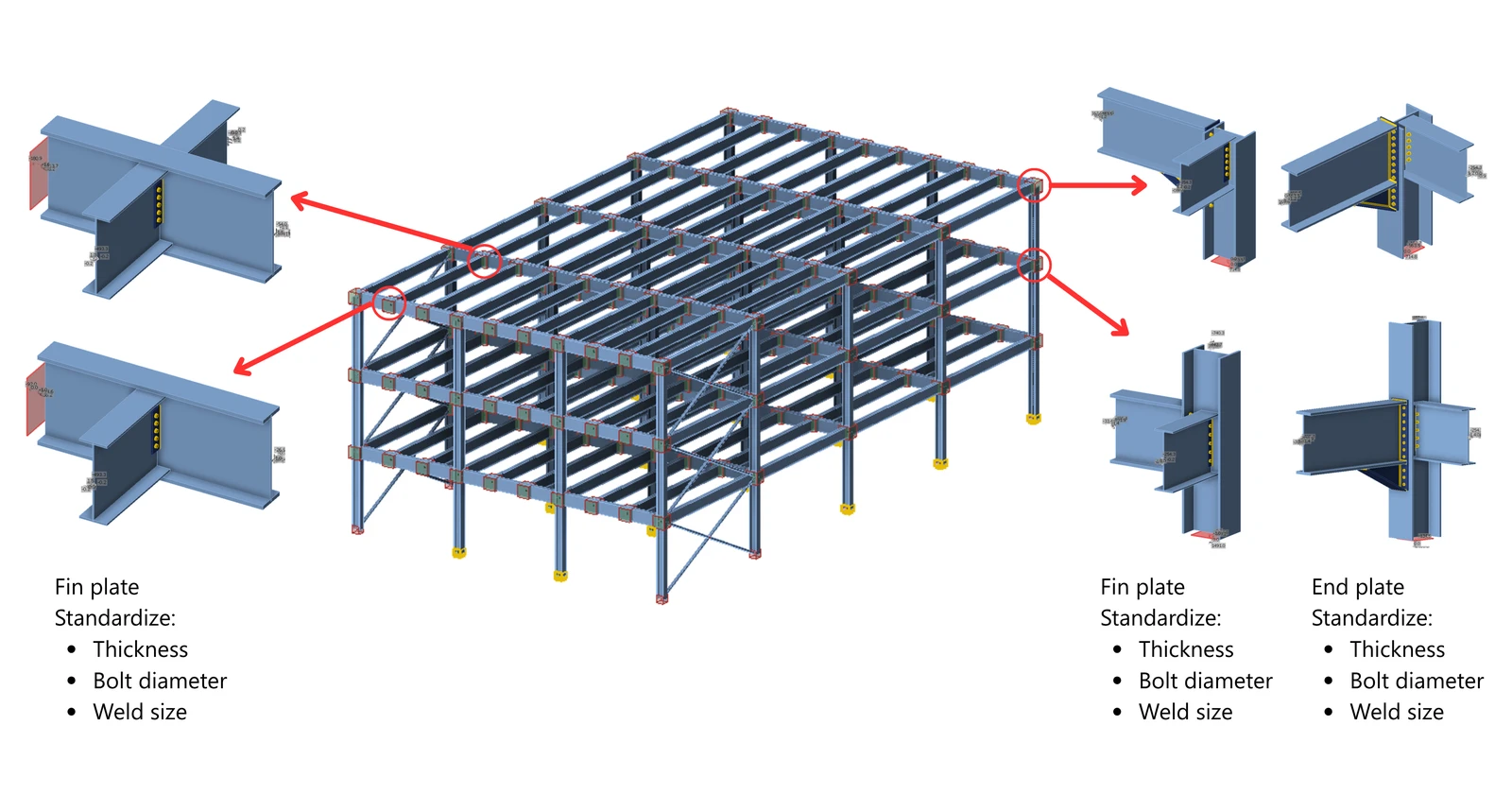
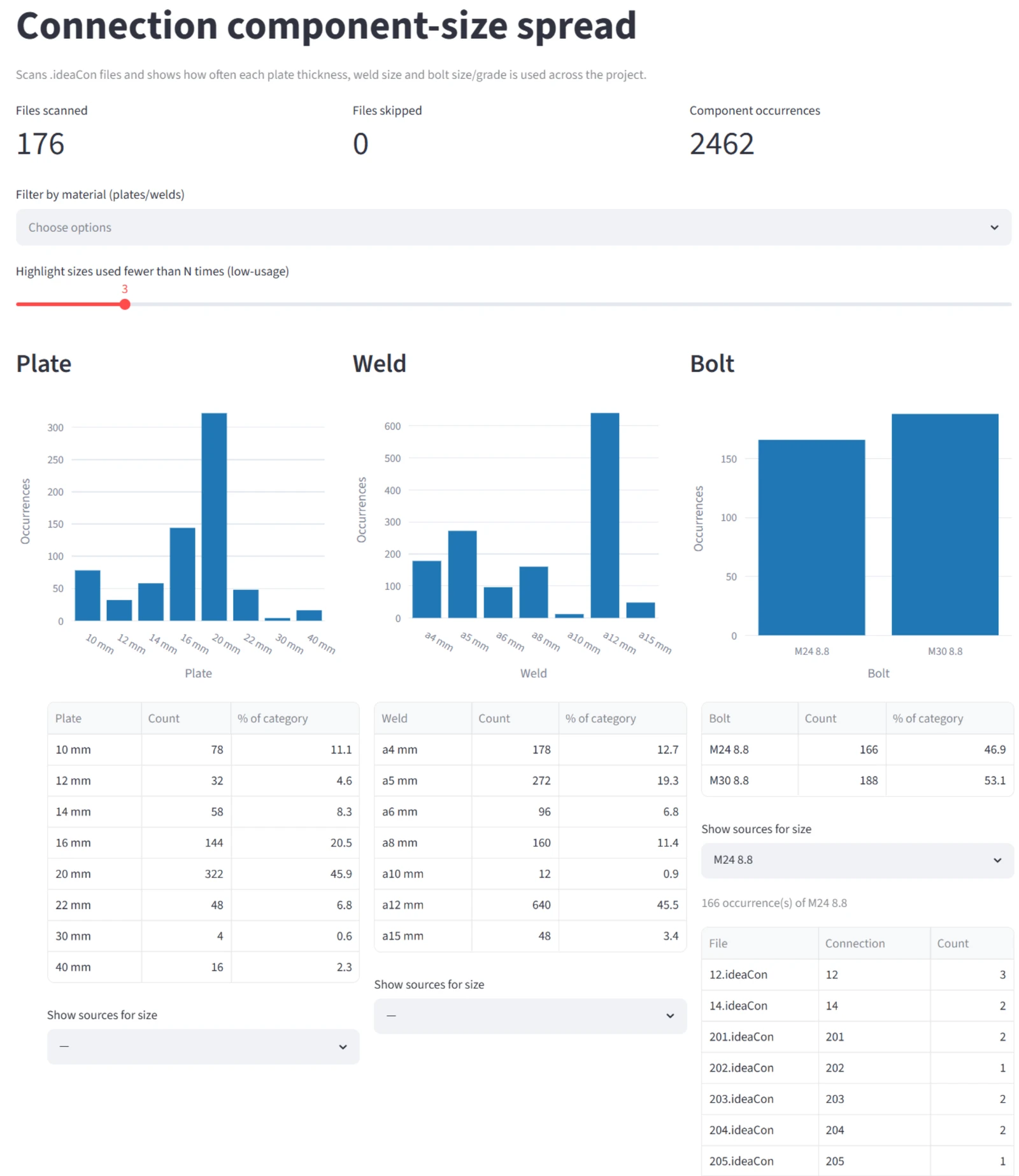
To solve this, I recommend creating a dashboard that can automatically scan .ideaCon files in a specified folder, record the sizes (plate thicknesses, bolt diameters, and weld sizes), and plot them on a graph. This allows me to easily identify sizes used in many nodes that can be standardized to another size. The dashboard created shows the number of instances for each size and identifies where they are used.
Prompt used:
To start the dashboard, follow the instructions given by the AI chatbot.
Result:
Case Study 2: Optimization Dashboard
As a structural engineer, I am all too familiar with this situation. When designing a structure, there are many options available to solve the engineering problem. Structural engineers sometimes get overwhelmed given the massive possibilities of options. Due to limited time and project pressure, most engineers will not be able to optimize their design fully.
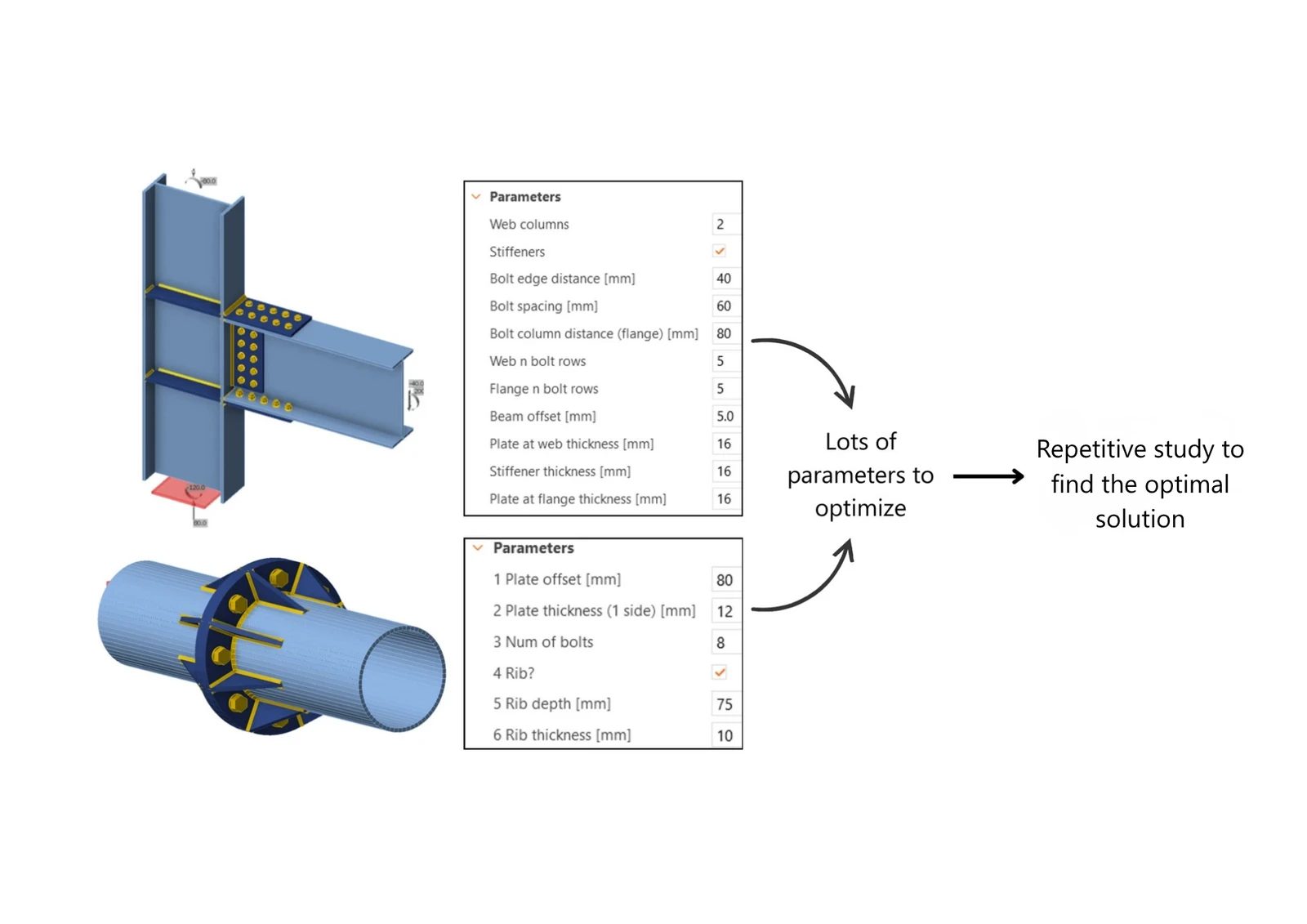
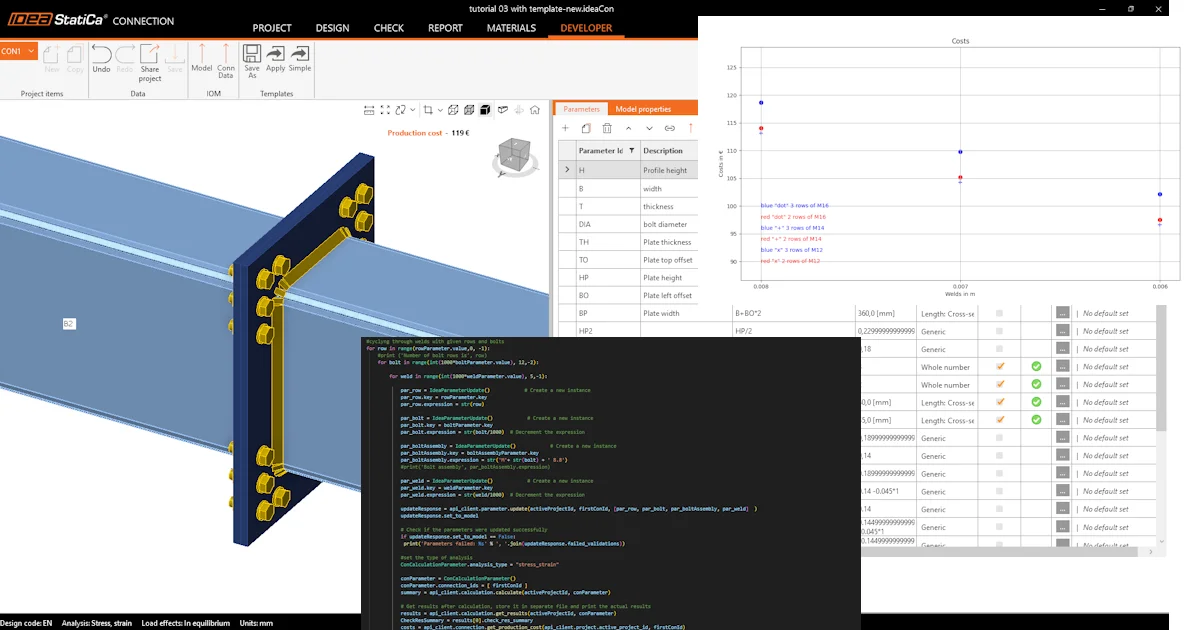
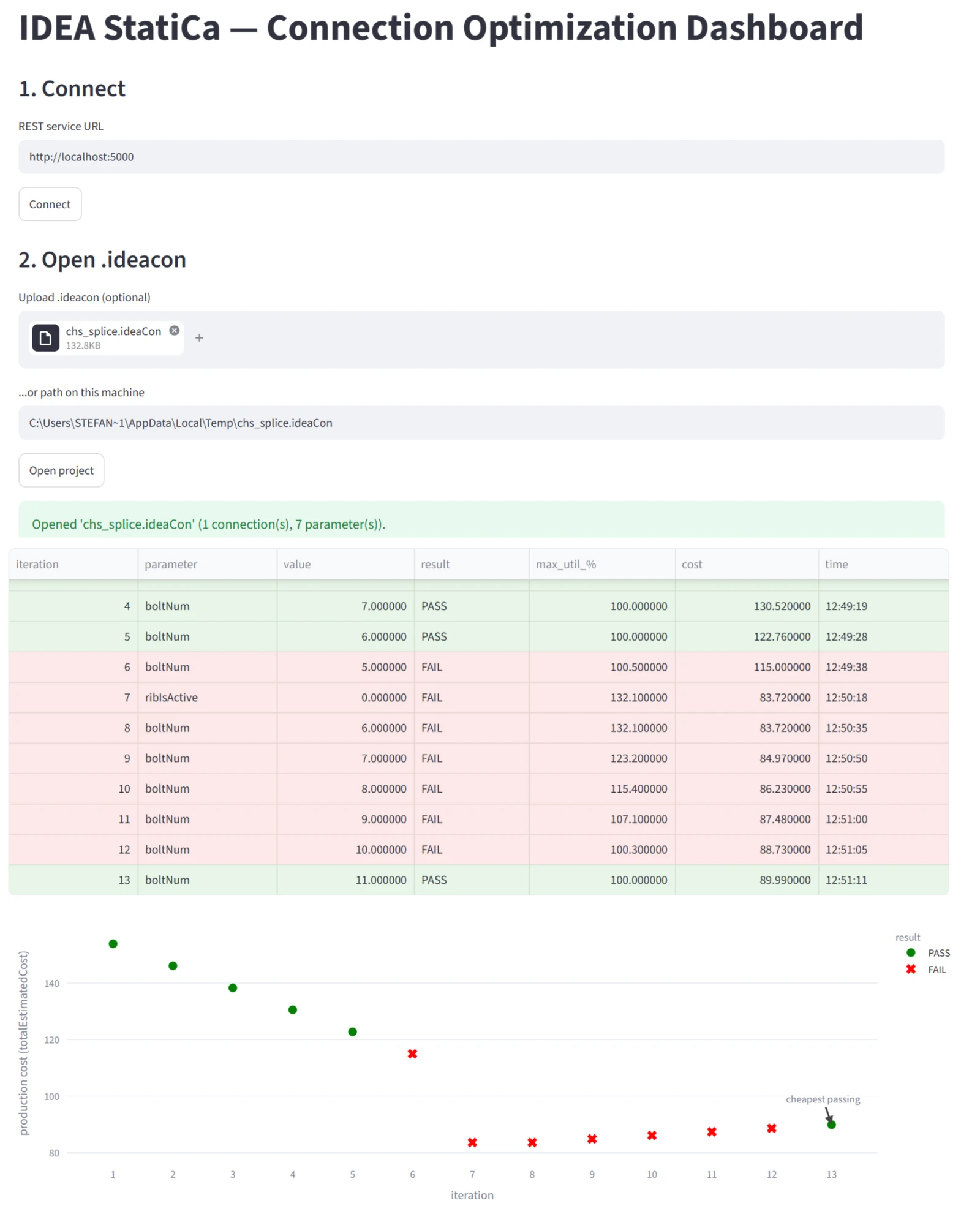
To solve this, I recommend creating a dashboard that helps me quickly study different options. It should be able to do a parameter sweep. After which I can select a parameter to study, then specify the minimum, maximum and increment value. When I click run, the dashboard will try each of the values and save the results. At the end of my study, I want to see a graph plotting the cost for each iteration so that I can pick the most optimal solution.
Prompt used:
To start the dashboard, follow the instructions given by the AI chatbot.
Result:
Summary
- Right now, AI can assist structural engineers; you no longer need to wait. We demonstrated it with the case studies above, where you can prompt AI to develop a dashboard to assist you in your daily work.
- It is easier than ever to create an app to realize your ideal workflow, which translates into more efficient work.
- Most importantly, when AI makes mistakes (and it does), AI is very convincing that it is correct. Hence, engineering judgment is even more important today. The right way to use AI is to assist us, not to replace our judgment.
Resources
Try IDEA StatiCa for free
Start your trial today and enjoy 14 days of full access and services free of charge.
Start free trial